
Firewall | RS On-prem
What is the Firewall page?
The Firewall page in the /appliance web interface lets you manually configure or add networks to the block list for the B Series Appliance.
How is it useful to my organization?
By managing the block list, administrators can prevent unauthorized connections, reduce security risks, and maintain a more predictable and secure operating environment. This ensures that only trusted network traffic interacts with the appliance, supporting stronger overall system protection.
How do I access the Firewall page?
- Use a Chromium-based browser to sign in to your B Series Appliance. The URL is provided in the BeyondTrust welcome email and includes your site URL followed by /appliance.
- From the top menu, click Security.
The Certificates page opens and displays by default. - At the top of the page, click Firewall.
The Firewall page displays.
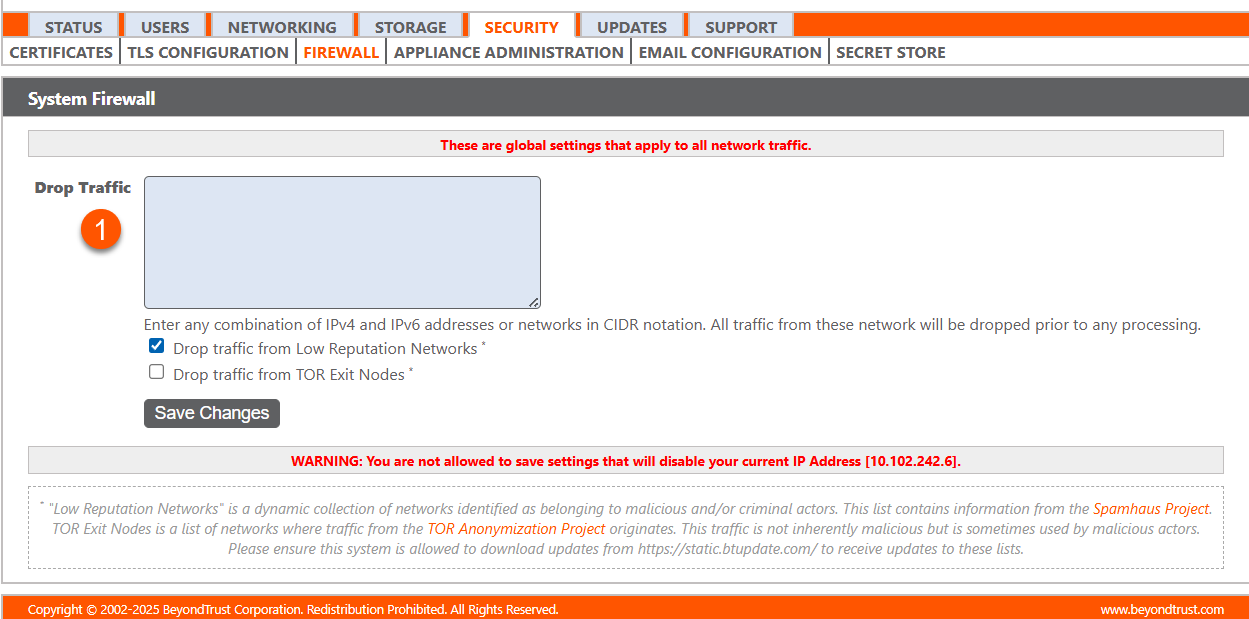
- Drop Traffic: Add a network address(es) you want to restrict.
Updated 2 months ago
