
Grant Entitle roles to users and groups | Entitle Cloud
Assign Admin, Read-only admin, Manager, or Integration admin to the people or groups who need them, so administrative access to Entitle follows your org structure instead of everyone sharing one admin account.
See Entitle roles for what each role can do before assigning one.
You can grant a role to individual users or to an entire identity provider (IdP) group — granting a role to a group automatically applies it to everyone currently in that group, and keeps it in sync as membership changes.
Prerequisites
- An Entitle Admin user account. Only Admins can grant or remove roles.
- To grant the Manager role: an HRIS integration connected, or Use as direct manager source enabled on your IdP group connection. Without one of these, Entitle has no way to determine who someone's direct reports are, and the assignment fails.
Grant a role
-
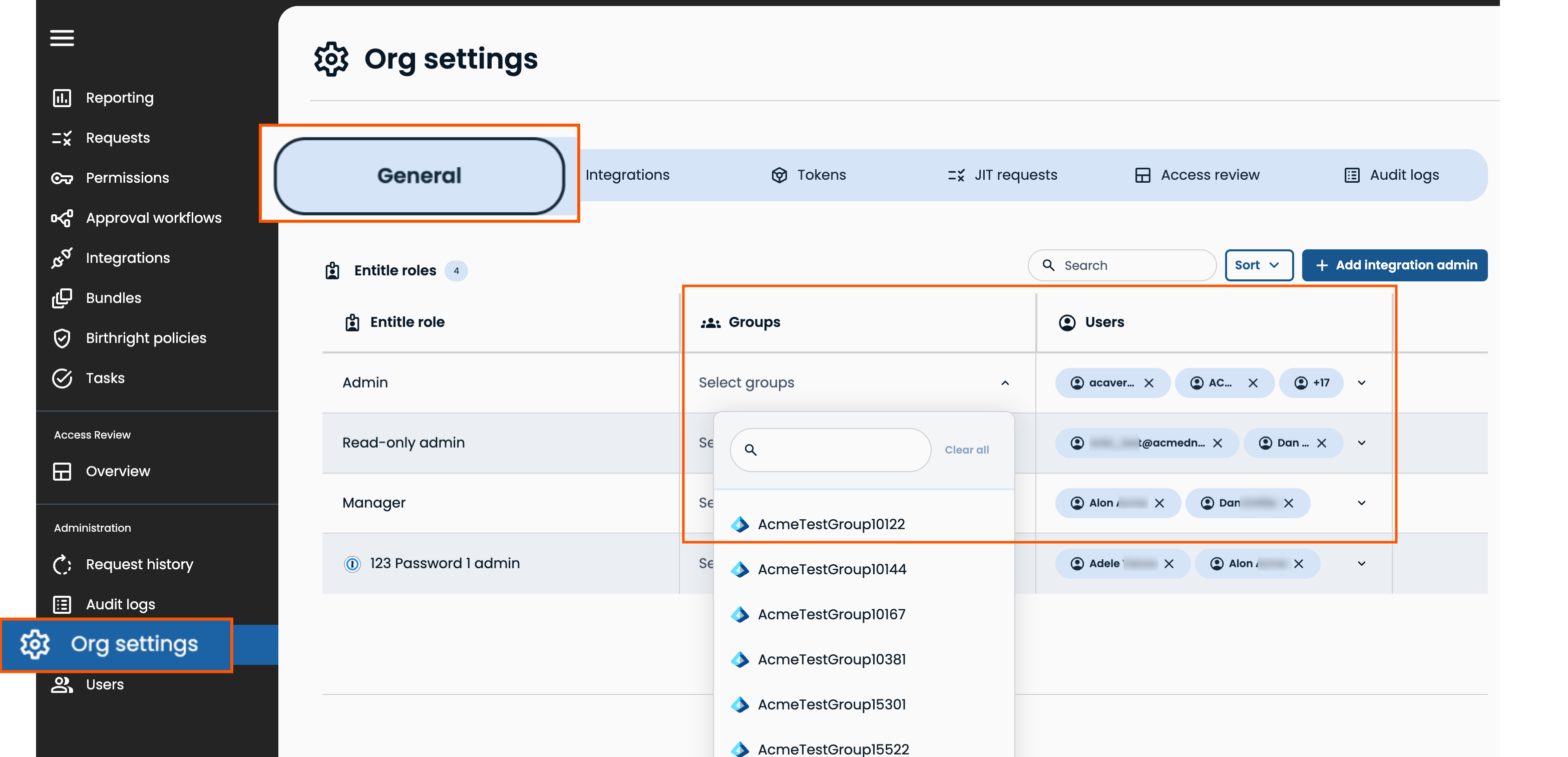
In Entitle, go to Org settings > General. In the Admins section, click Add. Under Role, select Groups or Users underAdmin, Read-only admin, Manager to grant those roles.
-
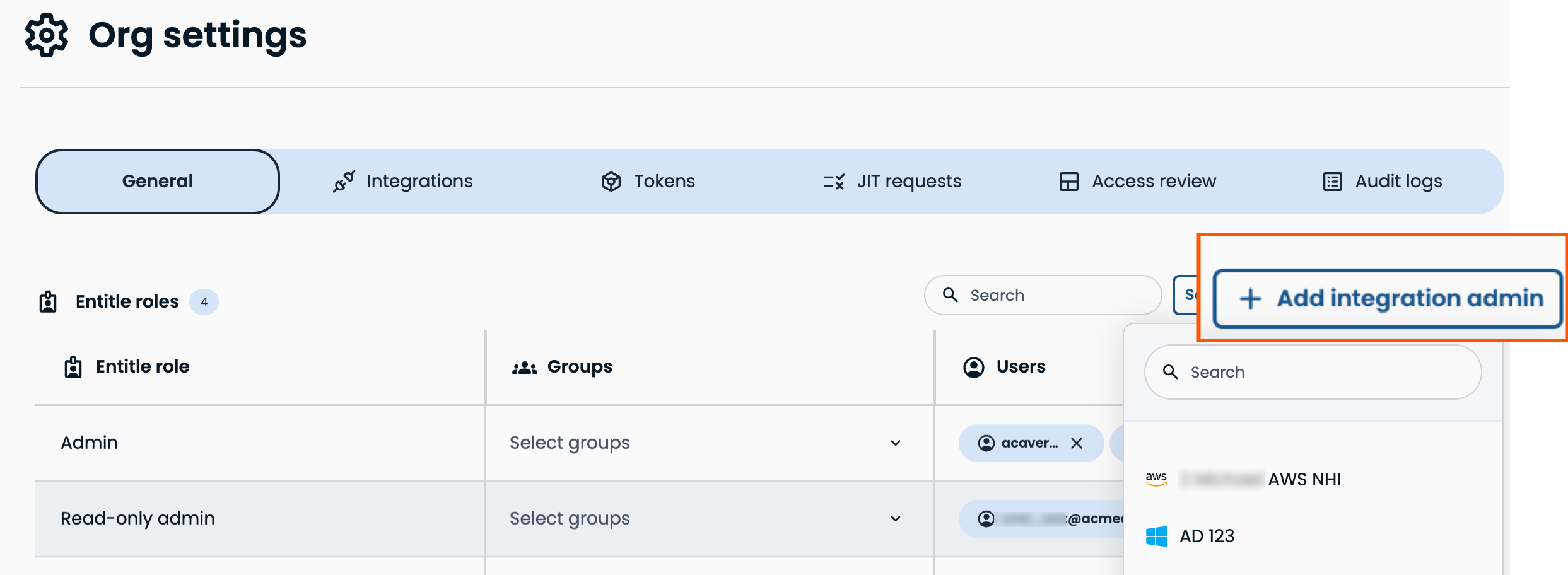
To grant an integration admin role, click Add integration admin, select an integration, then select Groups or Users.
-
Click Save.
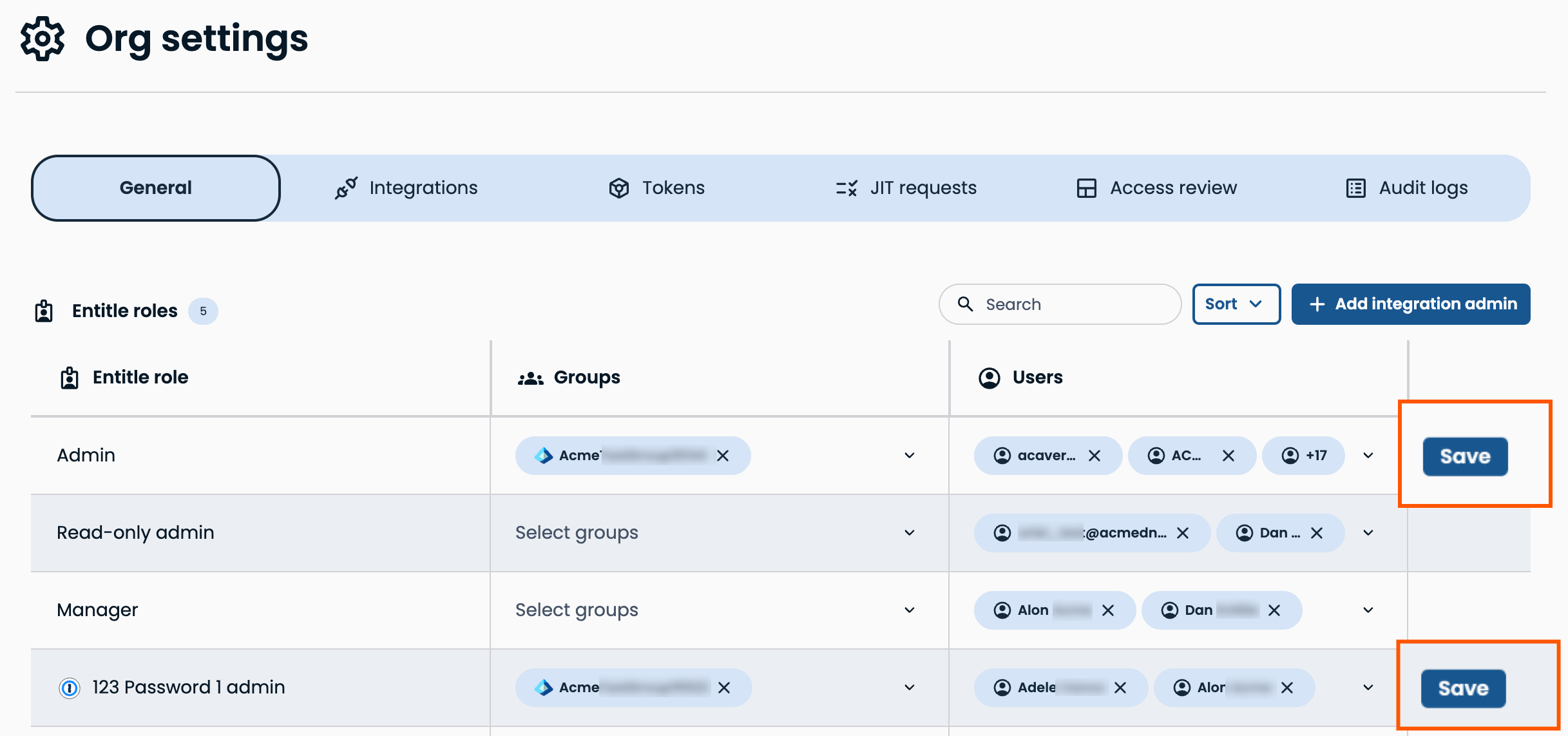
The assignment takes effect immediately for individual users. For groups, members are granted access as membership syncs.
Remove a role
In Entitle, go to Org settings > General. Find the user or group in the Entitle roles list. Click the X icon next to their role.
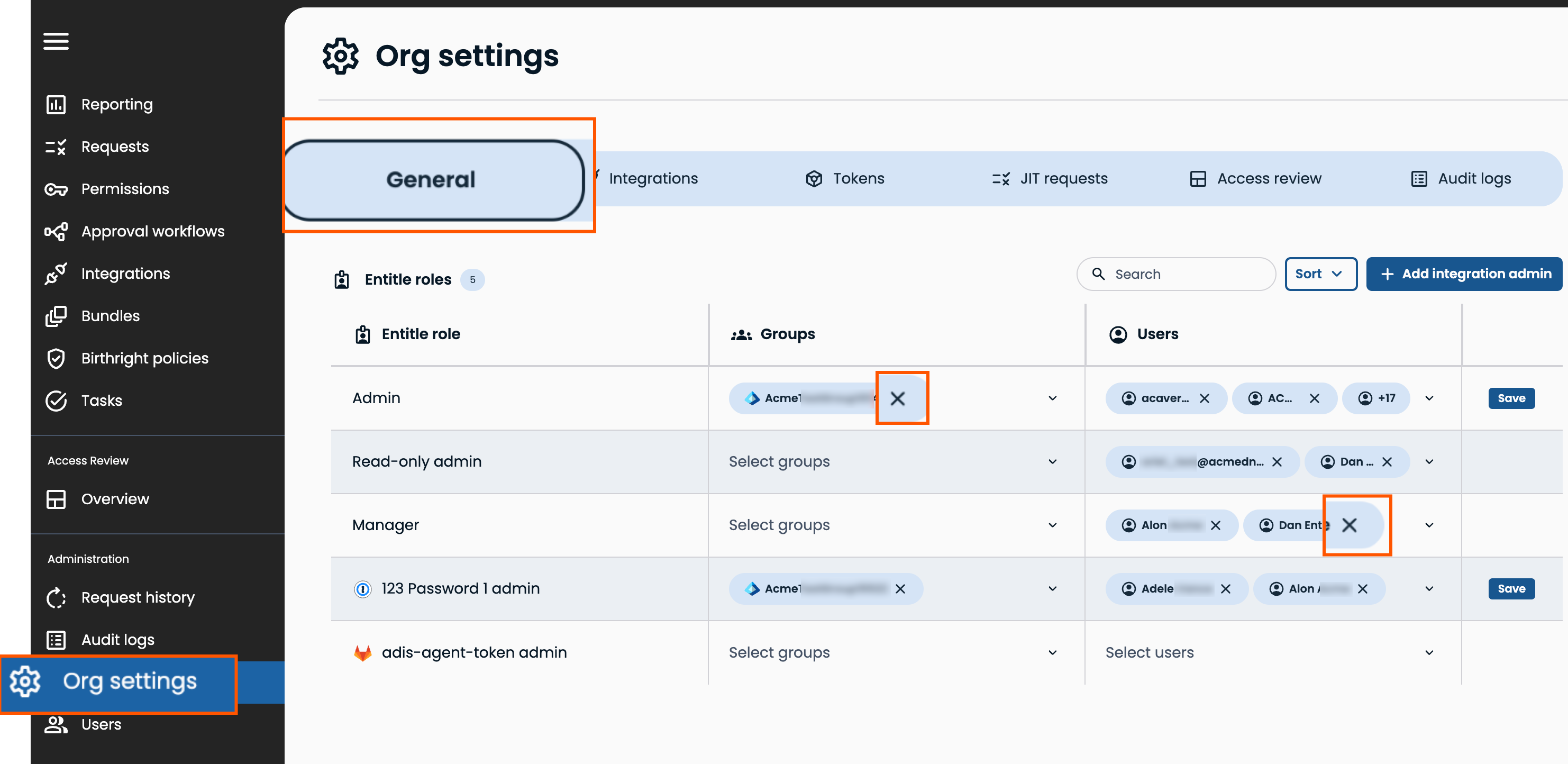
Entitle always requires at least one Admin. You can't remove the last remaining Admin from the organization, and you can't remove your own Admin role.
Every role grant and removal is recorded in Audit logs, including which admin made the change and who or what group was affected.
Updated 23 days ago
