
Entitle agent token | Entitle
An agent token authenticates an Entitle agent to Entitle. You generate a token when you deploy a new agent, apply it to the agent's Helm configuration, and rotate it periodically to meet your organization's secret-rotation policy — all from the Tokens tab in Org settings.
Agent tokens can be listed, created, and rotated through the Entitle API.
Prerequisites
- An Entitle admin user account. Only admins can create, view, rotate, or revoke agent tokens.
View and manage agent tokens
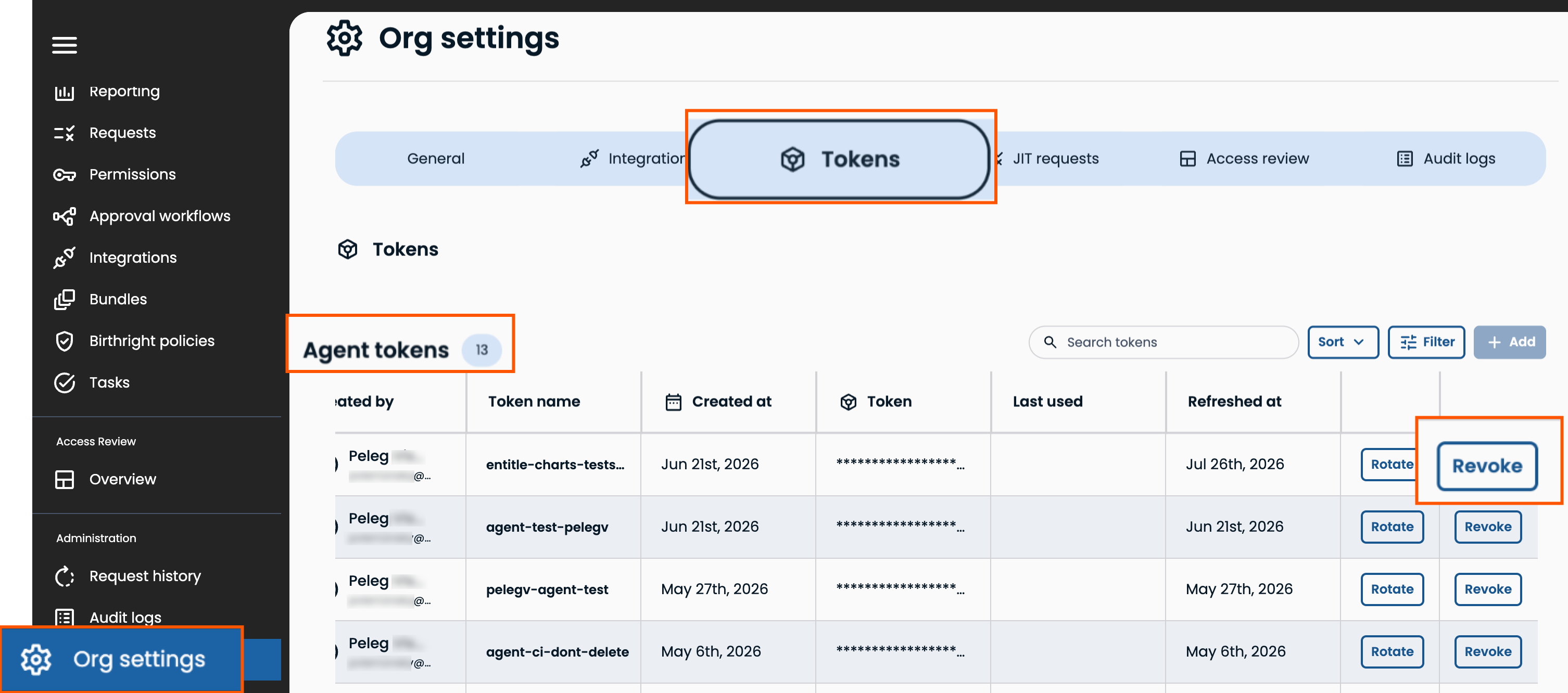
In Entitle, click Org settings > Tokens, and go to Agent tokens. The count badge next to the heading shows the total number of agent tokens in your organization.
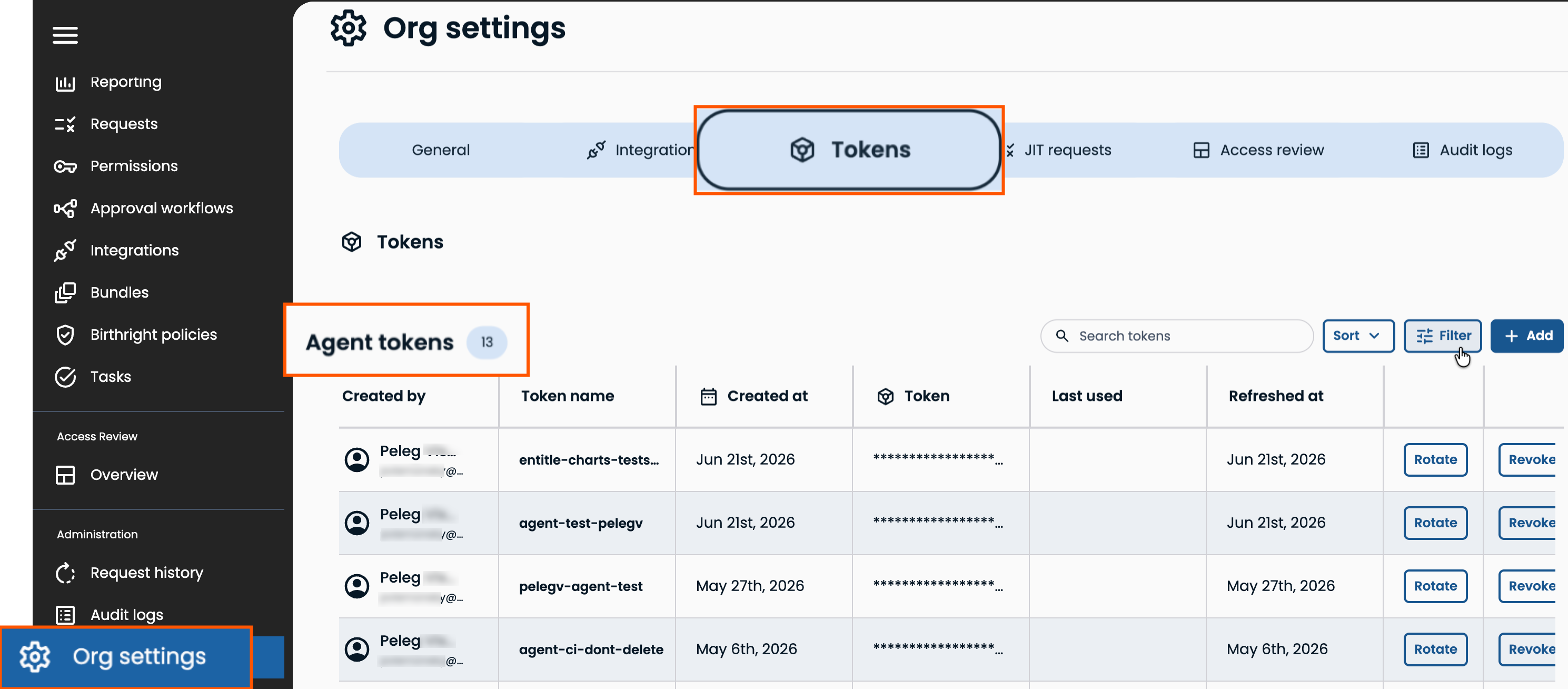
The table includes the following columns:
| Column | Description |
|---|---|
| Created by | The user who generated the token. |
| Token name | The name given to the token when it was created. |
| Created at | The date the token was created. |
| Token | The masked token value. |
| Last used | The last time the token was used to authenticate an agent. |
| Refreshed at | The date the token was last rotated. |
You can search by token name, sort the tokens, and filter.
Click Filter, select a field, and enter the filter expression to filter the table by:
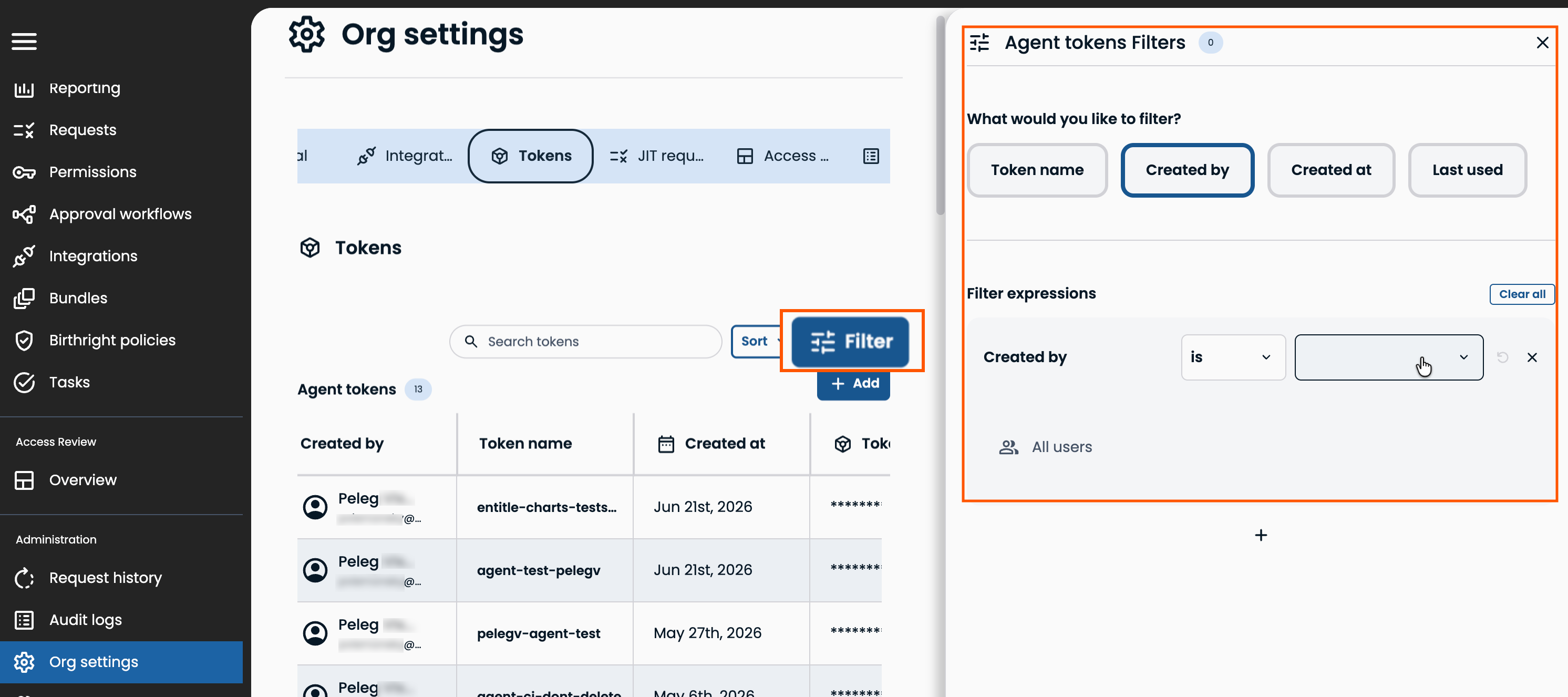
| Filter | Filters tokens by |
|---|---|
| Token name | The name assigned to the token. |
| Created by | The user who created the token. |
| Created at | The date the token was created. |
| Last used | The date the token was last used to authenticate an agent. |
Create an agent token
In Entitle, click Org settings > Tokens, go to Agent tokens, then click Add. In the new row, enter a Token name to identify its use. The name must be between 2–250 characters. Click Reveal token to view and copy the token value.
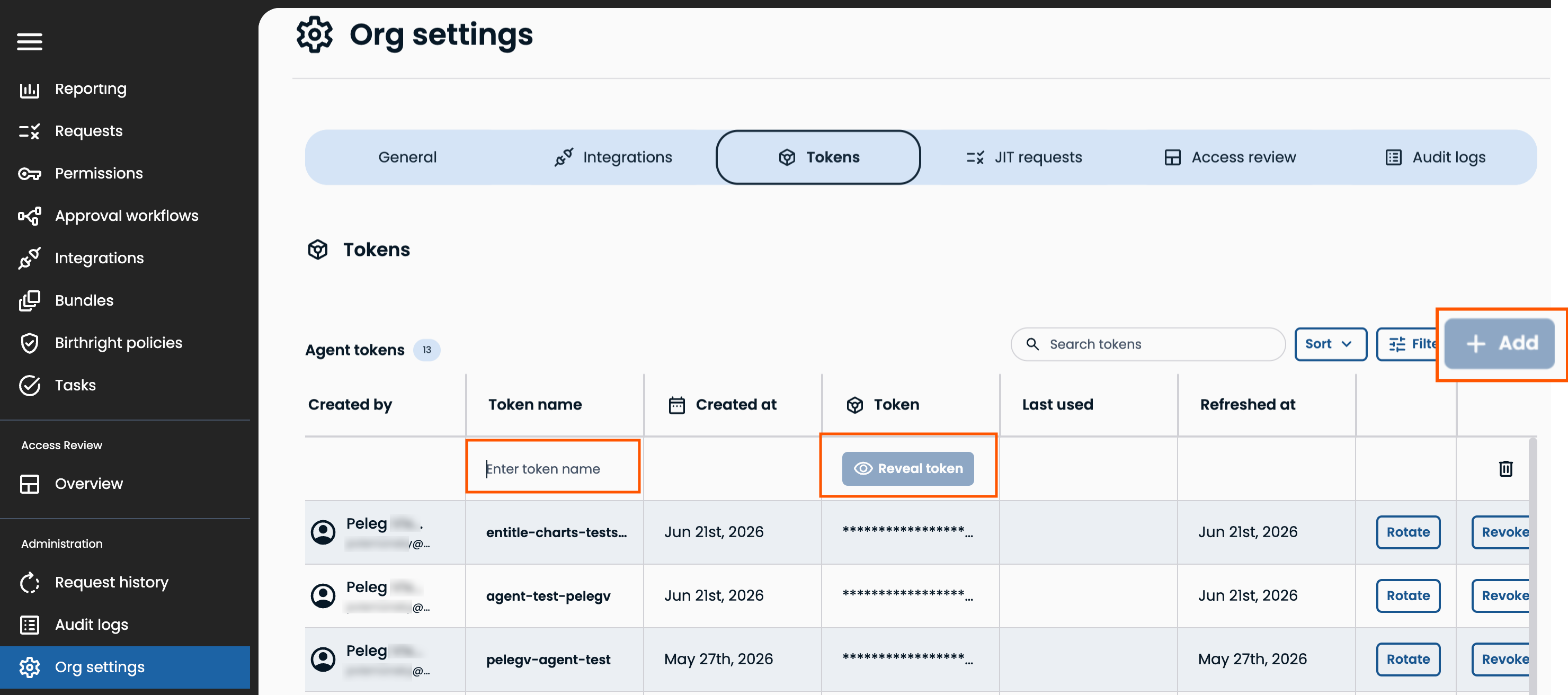
The token value is shown only once. If you lose it before applying it to your agent, generate a new token — the original value can't be retrieved again.
A token is scoped to a single agent. Use a separate token for each agent unless the agents are fully redundant. For Entitle agent redundancy architecture, consult BeyondTrust.
Use an agent token
Apply the token as the agent.token value when you install or upgrade the Entitle agent's Helm chart. The rest of the install command depends on your Kubernetes platform and secret manager.
- Copy the token value from the Create an agent token step above.
- Set it as the
agent.tokenvalue in your Helm install command, for example:
helm upgrade --install entitle-agent entitle/entitle-agent \
    --set kmsType="kubernetes_secret_manager" \
    --set datadog.datadog.tags={company:${ORG_NAME}} \
    --set agent.token="${TOKEN}" \
-n ${NAMESPACE} --create-namespace- Run the command against your cluster. The agent uses the token to authenticate with Entitle and, once running, appears as connected in Entitle.
For full platform-specific installation steps, see Entitle agent.
Rotate an agent token
Rotating a token in Entitle ensures the agent's existing integration mappings stay intact and don't need to be recreated.
In Entitle, click Org settings > Tokens, go to Agent tokens, then click Rotate in the row of the relevant token.
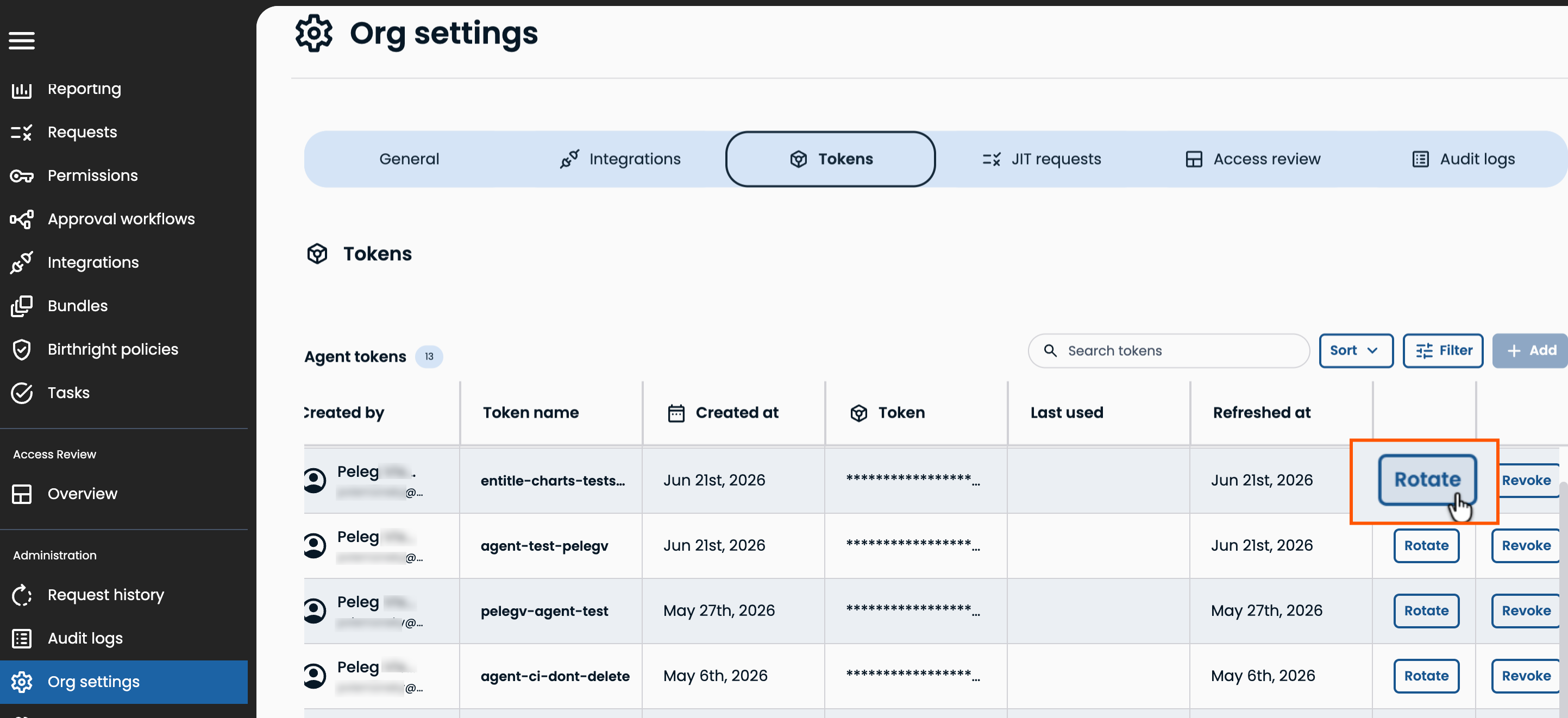
Copy the new value shown, and apply it to your agent's Helm configuration in place of the previous agent.token value, then run the upgrade command against your cluster.
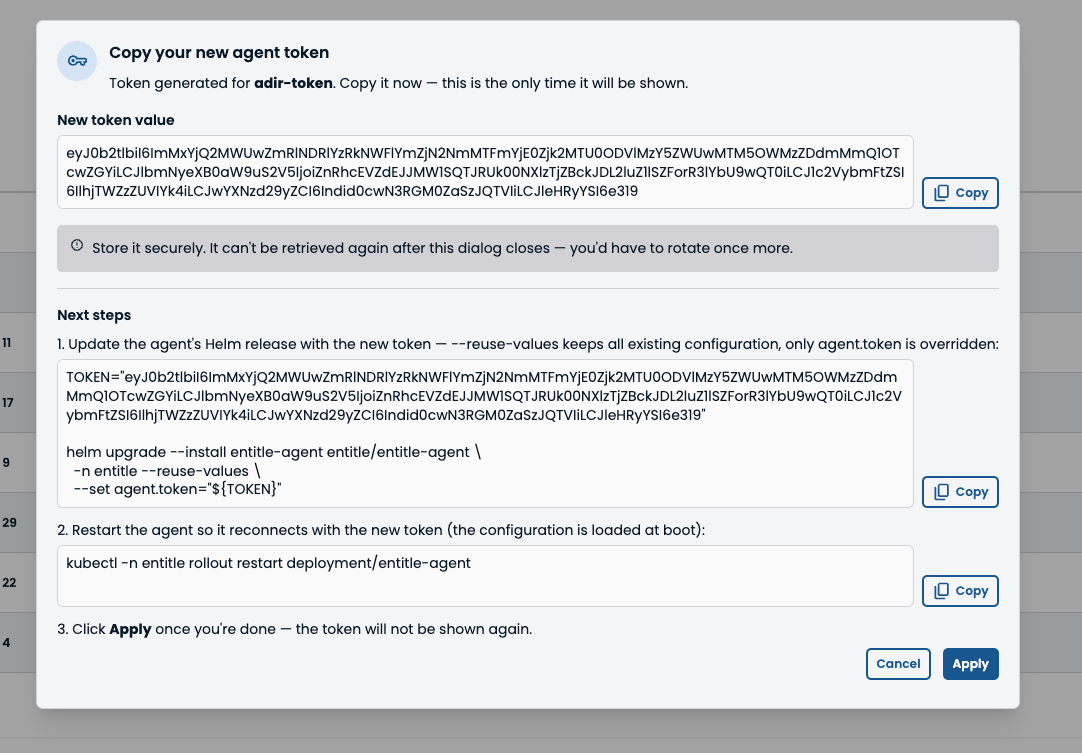
Once the agent reconnects, confirm it shows as connected in Entitle. The token's Refreshed at column updates to reflect the rotation time. Every rotation generates an OrganizationAgentTokenRotated audit event.
Revoke an agent token
Revoking a token permanently invalidates it. Unlike rotation, revoking a token doesn't preserve the agent's integration mappings. After revoking, you must reconfigure the agent's integrations from scratch.
In Entitle, click Org settings > Tokens, go to Agent tokens, then click Revoke in the row of the relevant token.
Updated 29 days ago
