
Cloudflare | Entitle
Cloudflare admin
Getting configuration data for Entitle access
Creating a token
- Log into your Cloudflare user and go here.
- Click Create Token.
- Create a custom token by clicking on Get started right next to the Create Custom Token option.
- Add the following permissions to your token:
- Account - Access: Organizations, Identity Providers, and Groups - Read
- Account - Account Settings - Edit
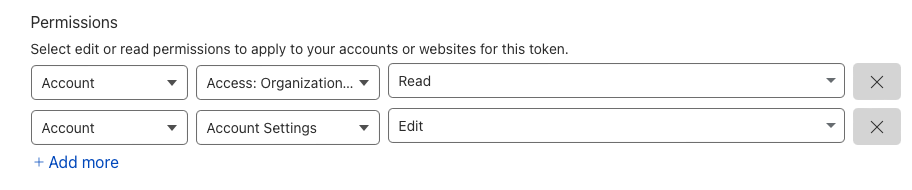
- Click Continue to Summary and Create Token.
- Copy the token.
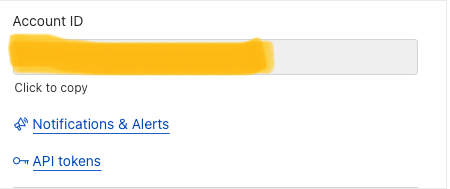
Account ID
- log into your Cloudflare user and go here.
- Select your account.
- On the left menu, select Workers → Overview
- On the bottom right side, you will see your account ID:
Entitle's Integration Configuration
{
    "token": "xxxxxx",
    "account_id": "xxxxxx",
}
Cloudflare ZeroTrust
The adapter’s configuration requires 2 fields:
Token
- Log in to your Cloudflare user and go here.
- Click Create Token.
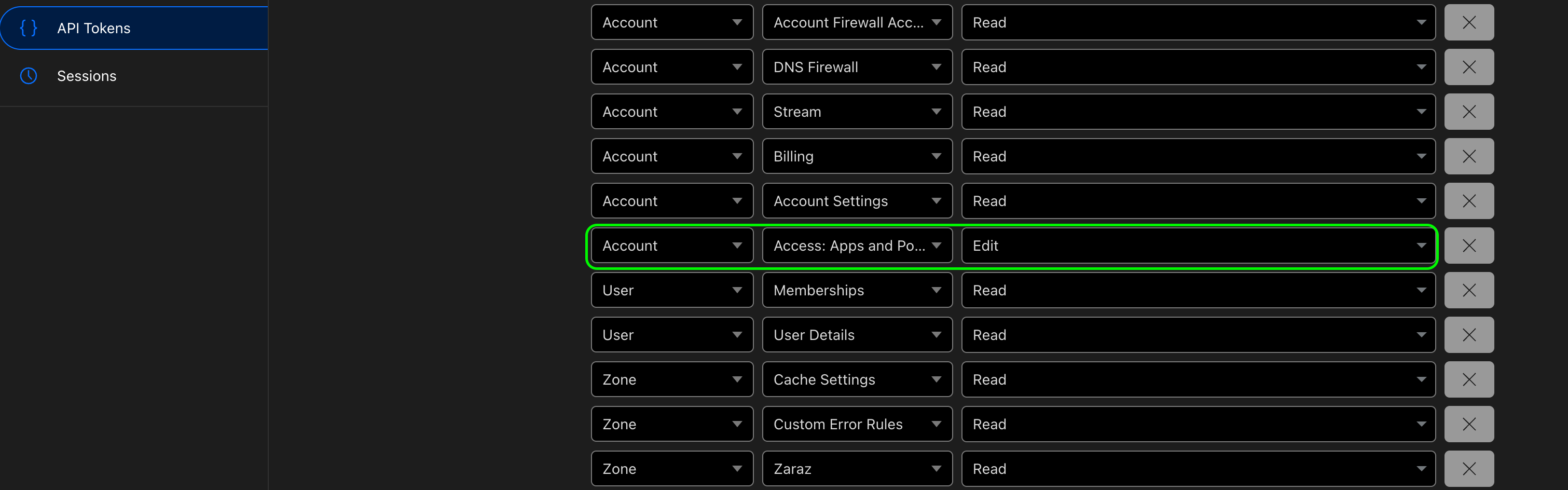
- Click on Use Template on the right to Read all resources.
- In the permissions list, change the following permissions to Edit:
Account - Rule Policies.Account - Access: Apps and Policies.Account - Zero Trust - Edit.Zone - Access: Apps and Policies.
- Click Continue to Summary and Create Token.
- Copy the token.
Account Id
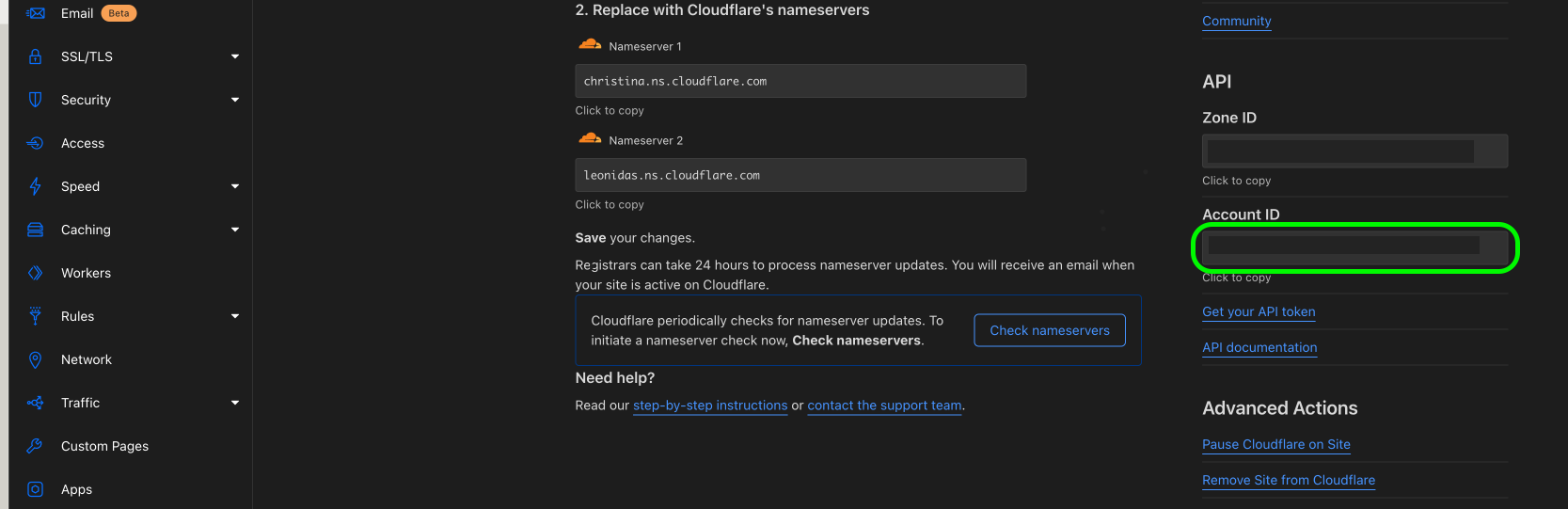
- Log into your Cloudflare user and go here.
- Select your account.
- Select any of your domains.
- On the bottom right side you will see your account ID:
Eventually, the integration JSON should look like this:
{
  "token": "<YOUR_TOKEN>",
  "account_id": "<YOUR_ACCOUNT_ID>"
}Should you need to allowlist this integration, these are the IP addresses from which Entitle's service reaches the integration:
- Entitle EU (Cloud deployment)
- 34.243.199.171
- 54.216.133.226
- Entitle US (Pathfinder deployment)
- 52.45.229.219
- 54.88.235.213
- 3.224.15.134
- Entitle CA (Pathfinder deployment)
- 35.182.218.208
- 15.156.179.153
What's next?Make sure your setup is complete by testing your integration.
Updated 6 months ago
Did this page help you?
