
MCP Server | PRA Pathfinder
Use the Configuration API through the MCP Gateway
You can now use the Configuration API through the Model Context Protocol (MCP) gateway. MCP is an open standard that lets AI assistants and automation tools connect to outside systems and use them as tools.
Before this release, the only way to work with the Configuration API was to send REST calls to it directly, which required building and maintaining your own integration. Now any MCP client can connect to the gateway and use the Configuration API endpoints as built-in tools. An MCP client is any AI assistant or automation tool that supports MCP.
What this means for you
If your team already uses MCP-based tools, you can now check and update your configuration settings from those same tools without writing custom code to connect to the REST API. For example, an administrator can ask an AI assistant to look up or change a setting, and the assistant executes the request through the gateway.
How access works
You control access across your entire organization. MCP API access has two levels:
- Read access: Lets MCP clients view configuration settings.
- Write access: Lets MCP clients change configuration settings.
Because read and write permissions are separate, you can allow tools to view settings without permitting changes, and expand access later when ready.
Enable MCP Server mode
To turn on MCP Server mode:
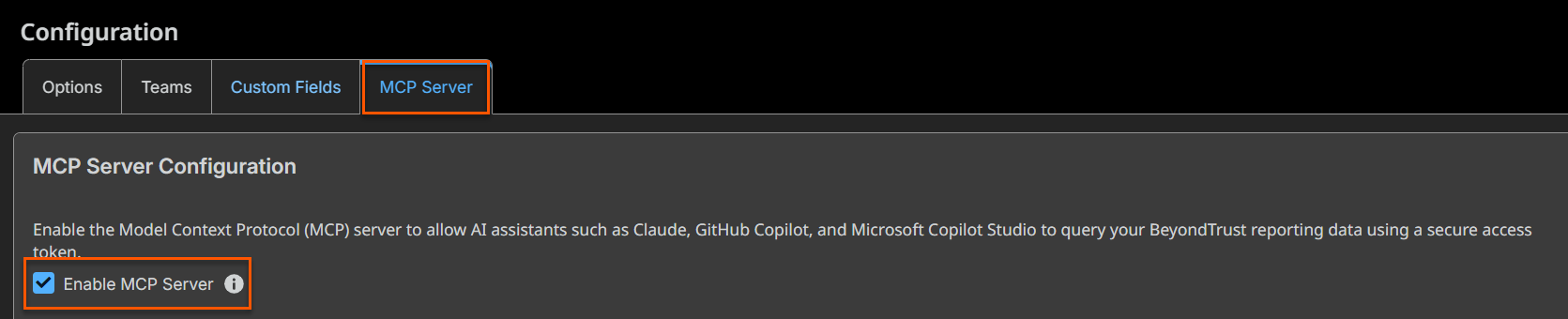
- From the main menu, click Privileged Remote Access > Configuration.
The Configuration page opens with the Options tab displayed by default. - Click the MCP Server tab.
- In the MCP Server Configuration section, select the Enable MCP Server checkbox.
- Follow the instructions on the remainder of the page.
Updated 27 days ago
