
Admin Session | PS Pathfinder
What is the Admin Session tab?
The Admin Sessions tab displays only for users who have full control permissions to the Password Safe Admin Session feature and for Password Safe administrators.
How is it useful?
Admin sessions allow you to open ad hoc RDP and SSH sessions without going through the request process and allow you to select a node associated with another region to act as a proxy for the session. This is useful in larger environments when assets you need to access are not in your region.
How do I access the Admin Sessions tab?
- Sign into app.beyondtrust.io with your credentials.
The BeyondTrust Pathfinder Home displays. - At the top right of the page, select your site from the drop-down.
- Select the Password Safe tile from your list of available applications.
The Password Safe page displays. - At the top left of the page, click
 > Password Safe > Password Safe.
The Password Safe home page displays. - Click the Admin Sessions tab.
The Admin Sessions grid displays.
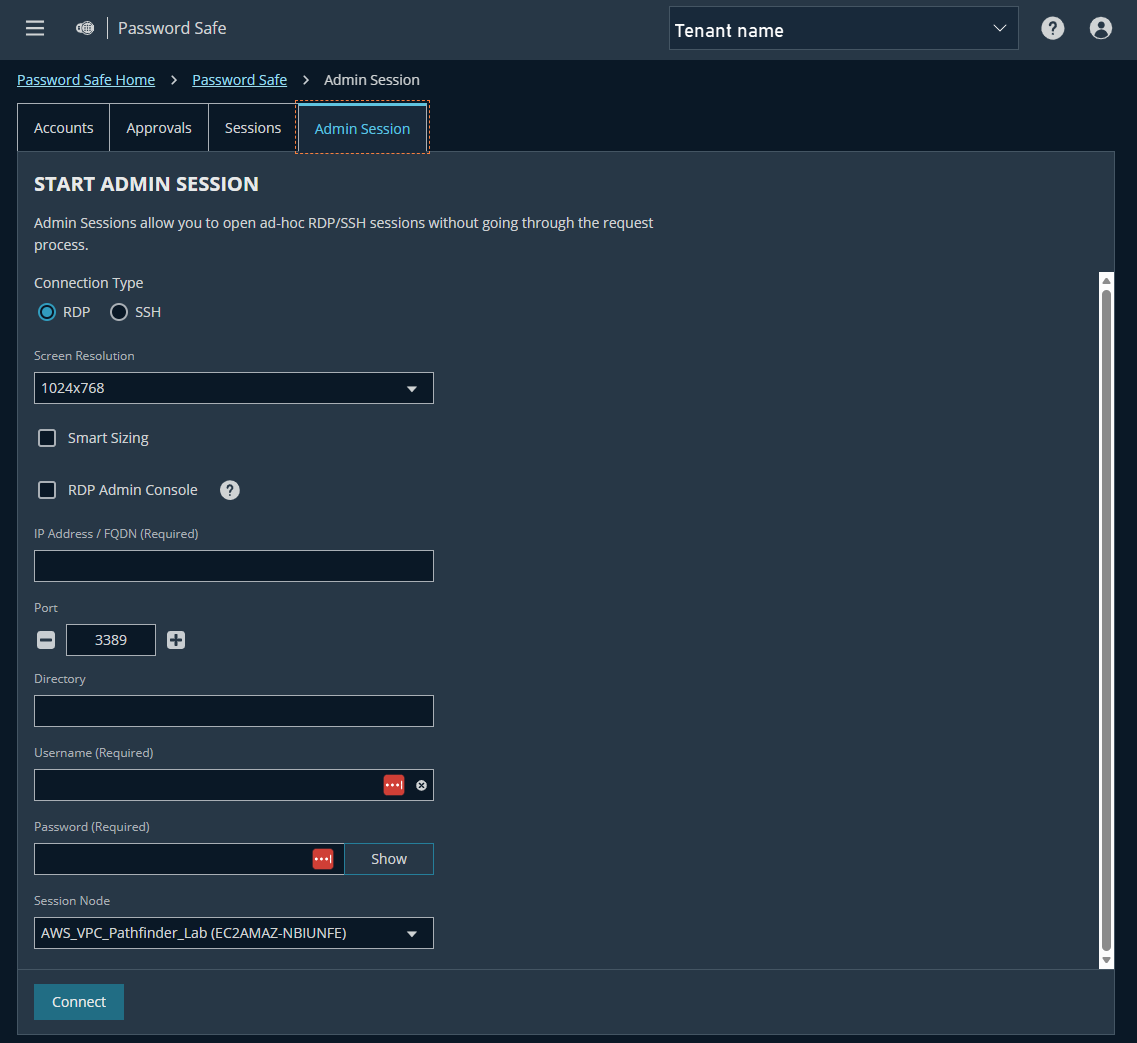
Admin Session page
Start an admin session
To start an admin session:
- File out the Start Admin Session form.
- Click Connect to start the admin session.
Updated 3 months ago
