
Trellix ESM Syslog Connector | BI
Configure Trellix Syslog event forwarding
Trellix Enterprise Security Manager (ESM) is the foundation of the Trellix security information and event management solution (SIEM). You can create a connector to forward all data types to Trellix Enterprise Security Manager.
You must configure your Trellix SIEM Solution to receive Syslog data sources.
-
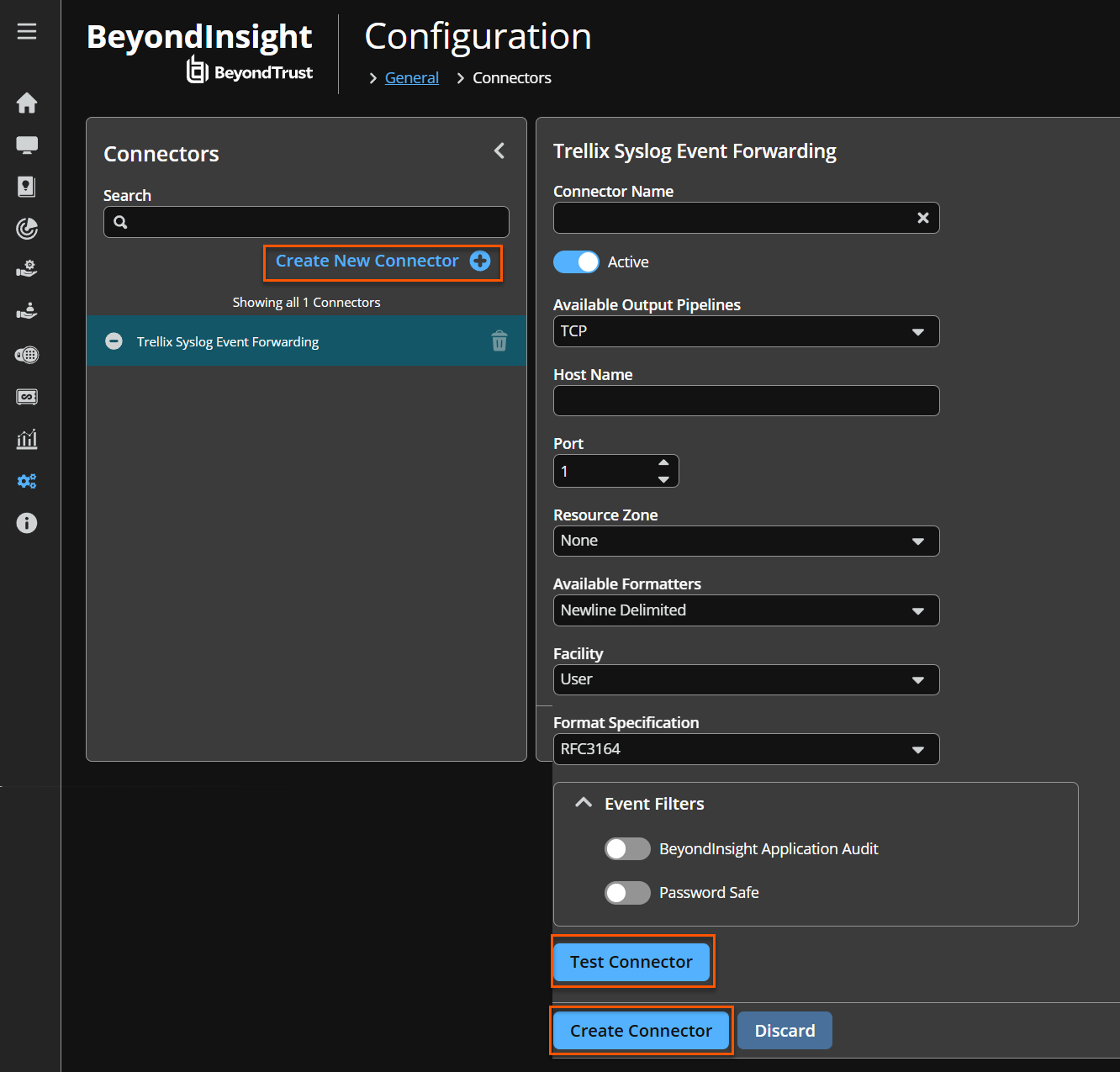
In BeyondInsight, go to Configuration > General > Connectors.
-
From the Connectors pane, click Create New Connector.
-
Enter a name for the connector.
-
Select Trellix Syslog Event Forwarding from the Connector Type list.
-
Click Create Connector.
-
Leave Active (yes) enabled.
-
Select an optional syslog facility from the list.
-
Provide the required details for the available output pipelines for the Trellix Syslog data source:
- Select the protocol: TCP, TCP-SSL, or UDP.
- Enter Host Name and Port.
-
Select an output format: NewLine Delimited, Tab Delimited, or Comma Delimited.
-
Expand Event Filters, and then select the events you want to forward.
-
Click Test Connector to send a test event message.
-
Click Create Connector.
For more information, see the Trellix documentation for configuring a Syslog data source to SIEM solution.
Updated 22 days ago
