
Discovery: Overview | BI On-prem
What is the discovery scanner?
The discovery scanner discovers assets, such as systems, databases, applications, or network devices.
How is it useful?
The discovery scanner is used to onboard assets into Password Safe.
How do I access discovery scans?
- Open a browser and enter the URL for your Password Safe instance: https://<hostname>/WebConsole/index.html.
- Enter your username and password.
- From the left menu, click
 .
.
The Discovery page displays.
From the menu, you can also:
- Run a new discovery scan (you can also run a new discovery scan by selecting the Discovery Scan container card on the BeyondInsight home page)
- View active and completed scans
- View scheduled scans
- View discovery scanners
- Run a new discovery scan
The Discovery page
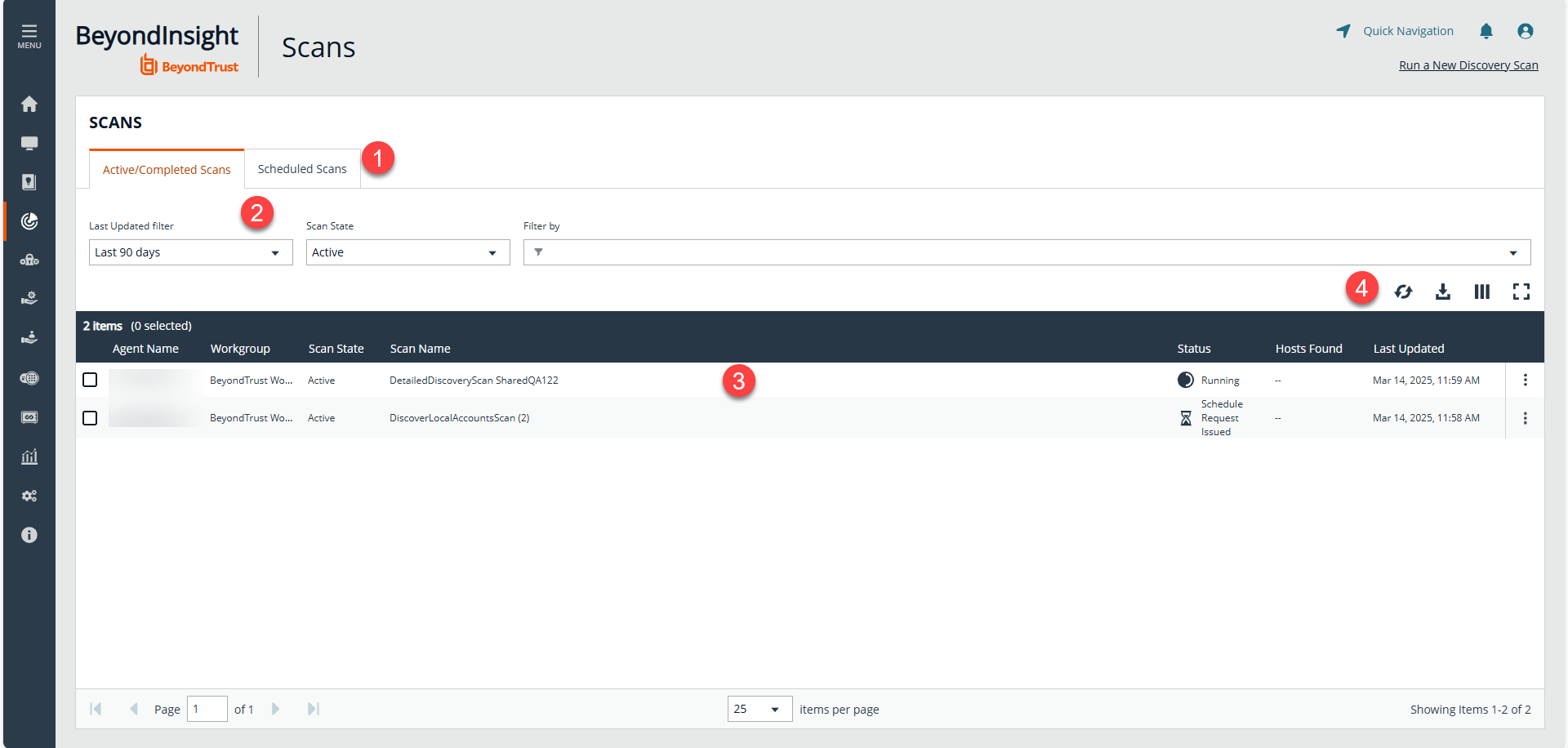
- Tabs: View active, completed, or scheduled scans.
- Filters: Select an item in the filter dropdowns to filter information.
- Scans grid: Displays information based on filter selections.
Manage scan jobs
From the Scans page, you can perform the following:
- View active, completed, and scheduled scans
- Locate specific scans by using the date, status, agent name, workgroup, scan name, start time, and end time filters
- Use the row actions available from the vertical ellipsis menu for a scan to perform the following:
- Open the discovery report for a completed scan
- Stop active scans that are currently running
- View and edit details for scheduled scans
- Run completed and scheduled scans now
- Deactivate scheduled scans
- Reactivate inactive scans
You can view inactive scans by selecting Inactive from the Status filter above the grid. You can still run inactive scheduled scans and completed scans that are linked to inactive scheduled scans by clicking the vertical ellipsis for the scan and selecting Run Scan Now. You can also reactivate inactive scans from the vertical ellipsis menu if desired.
For configuration of Discovery, see Discovery: Configure.
Updated 7 months ago
