
Managed Accounts: Overview | BI On-prem
What are managed accounts?
Managed accounts are user accounts which are local or Active Directory accounts on the managed system.
How are managed accounts useful?
Managed accounts provide centralized control, security, and automation for user accounts on managed systems.
How to access managed accounts
- Open a browser and enter the URL for your Password Safe instance: https://<hostname>/WebConsole/index.html.
- Enter your username and password.
- From the left menu, click
 .
.
The Managed Accounts page opens and displays.
The Managed Accounts page
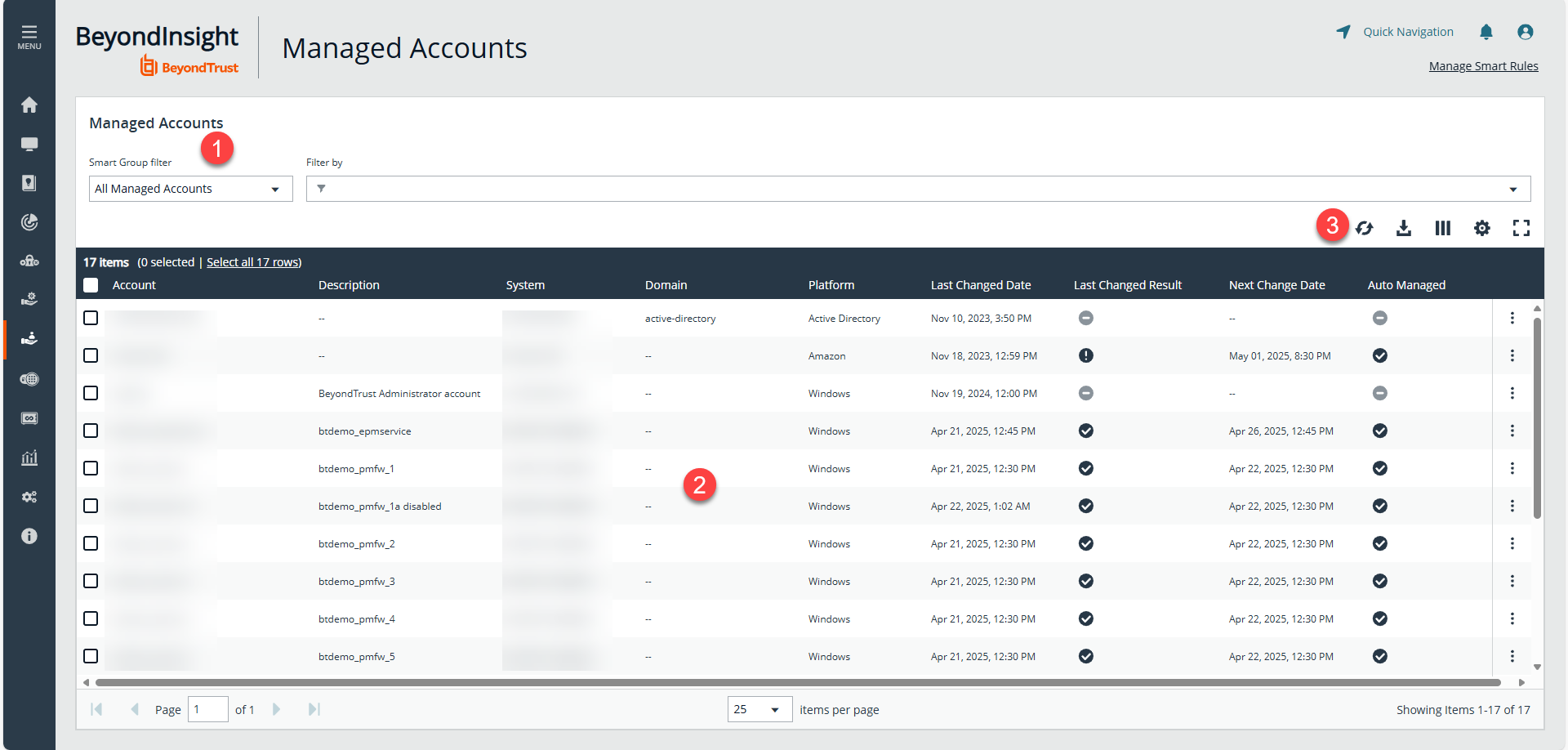
- Filters: Select an item in the filter dropdowns to filter information.
- Managed System grid: Displays information based on filter selections.
- Grid display preferences: Set display preferences on the Managed Systems grid using the following options represented by icons above the grid:
- Click
 to refresh the list,
  to download the list to a .csv file,
  to select which columns to display on the page,
  to configure your page display, and
 to expand the grid.
- Click
For configuration of Managed Accounts, see Managed Accounts: Configure.
Updated 7 months ago
