
Approvals tab | PS Cloud
What is the Approvals tab?
The Approvals tab displays for administrators and users who have been assigned the Approver role for any managed systems in Password Safe.
How is it useful?
This tab provides both approvers and administrators with a centralized location to manage and view approvals. Approvers can view all requests for managed systems for which they have been assigned the Approver role. Password Safe administrators can view all requests for all managed systems. You can filter the requests by approved and pending requests, view request details, and approve or deny requests.
How do I access the Approvals tab?
- Use a browser to sign in to your BeyondInsight/Password Safe URL.
This URL is provided in the BeyondTrust welcome email and includes your site URL followed by /login. - From the left menu, click
 .
.
The Password Safe home page displays. - Click the Approvals tab.
The Approvals grid displays.
The Approvals grid
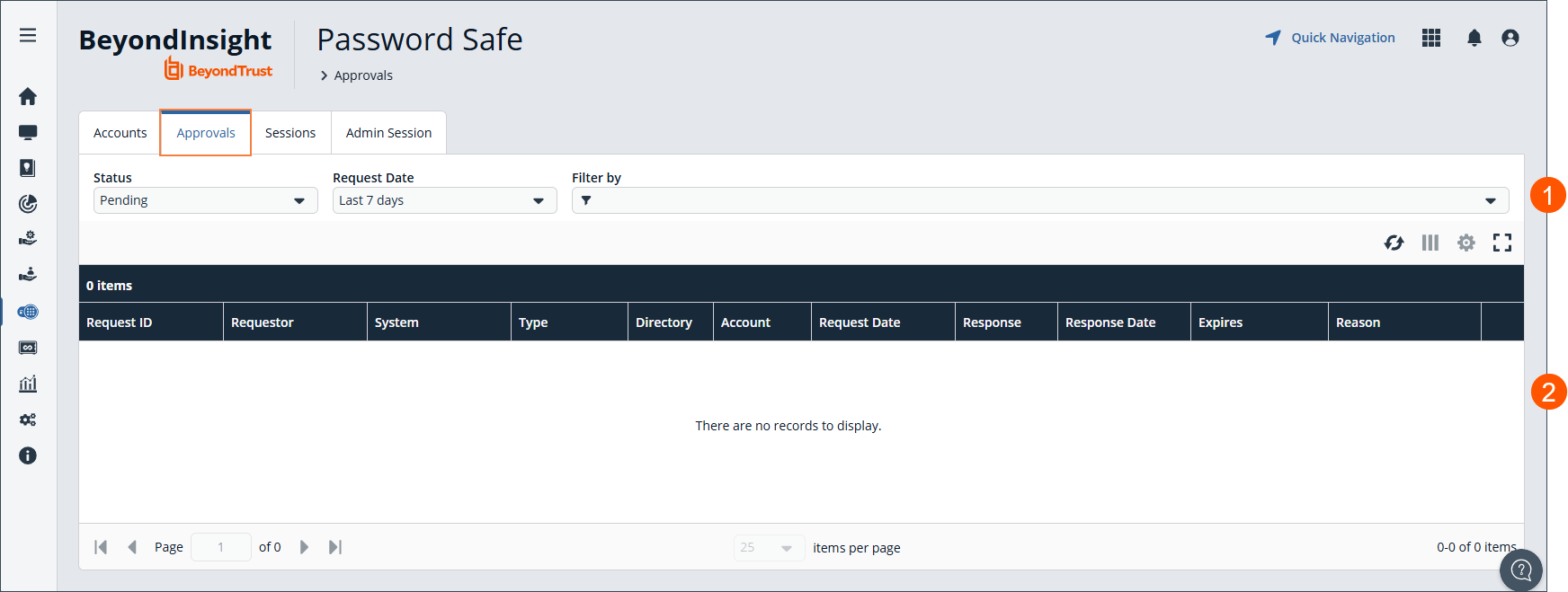
- Select Filter by to filter results.
- Approvals grid.
View request details
To view details of the request:
- Click
 to the right of the request.
 - Click View Request Details.
Approve or deny requests
When a password request for a system is successfully submitted, the associated approvers for that system are notified by email of the pending request. If you have permissions to approve requests for password releases or sessions for managed systems, you can approve and deny requests from the Approvals tab, as follows:
- Click to the right of the request.
- Select Approve Request or Deny Request.
To add a comment to the approval:
- Click to the right of the request.
- Select View Request Details.
- Enter a comment for the approval.
- Click Approve or Deny.
Lock requests
To lock the request, even if it has previously been approved:
- Click to the right of the request.
- Click Lock. This prevents the requestor from triggering a new session from it.
- The request can be unlocked to re-allow access.
- Lock is unavailable if there is an active session running for that request.
An approver is asked to confirm any denied requests. Once a request is approved, the approver can still deny it if the situation warrants.
Filter requests
In previous versions, filtering the approvals grid made it difficult to view pending requests with future-dated request entries. To address this, the following enhancements have been made:
-
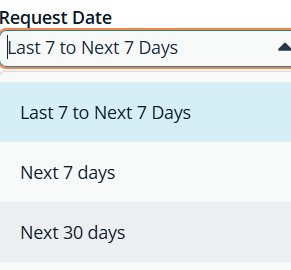
The Request Date filter now includes additional values, allowing users to more easily identify requests that require approval both now and in the future. The default value is Last 7 to Next 7 days.
-
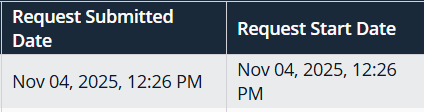
A new Request Submitted column has been added to the approvals grid to provide clearer visibility into when requests were initiated.
-
In the table grid, the Request Date column is renamed to Request Start Date.
-
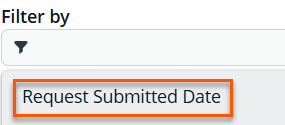
A new grid filter named Request Submitted Date.
-
In the Request Details pane, the Requested On field is renamed to Request Submitted On and Requested Date is renamed to Requested Start Date.
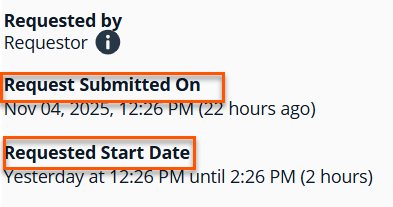
These updates improve usability and ensure that time-sensitive approval workflows are easier to manage.
Updated about 2 months ago
