
Domain settings | EPM-WM Cloud
An email address is entered when a user account is created in EPM. Email notifications are sent for EPM user registration and confirmation.
ImportantIt is a security best practice to restrict the domains where EPM communications can be sent.
One domain always exists on the Domain Settings page. The first domain is created when the application is deployed for the first time for the customer. There must always be at least one domain in the list.
Any additional domains added must exist in your authentication provider before you can add it here. If you add another domain, you can add an Administrator account associated with that domain.
Only a user assigned to the Administrator role can add a domain.
To add a domain:
-
Navigate to Configuration > Domain Settings.
-
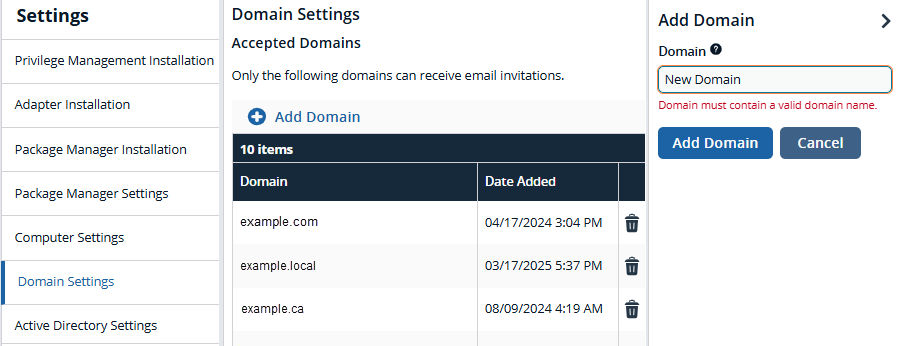
Click Add Domain.
A valid domain must contain at least 2 segments and be at least 3 characters long.
-
Type the domain name, and then click Add Domain.
At any time after a domain is created, click the trash can to remove it. A toast notification indicates the domain is successfully removed.
Updated 2 months ago
