
Agent inventory | Insights
What is agent inventory?
Discover and inventory AI agents across your cloud environment ensuring visibility into all provider identities. AI agents often have excessive privileges and can access sensitive data, creating security vulnerabilities. The agent inventory keeps you informed of AI agent use.
How is it useful?
Agent inventory provides security teams and platform owners a clear picture of AI agents in the environment. Your team can audit agent behavior, review privilege exposure, and investigate findings.
The Agent Inventory page
Review details like the total number of agents, the total number of privileged agents, the count of providers, and each agent's name, privilege level, number of connections, and model.
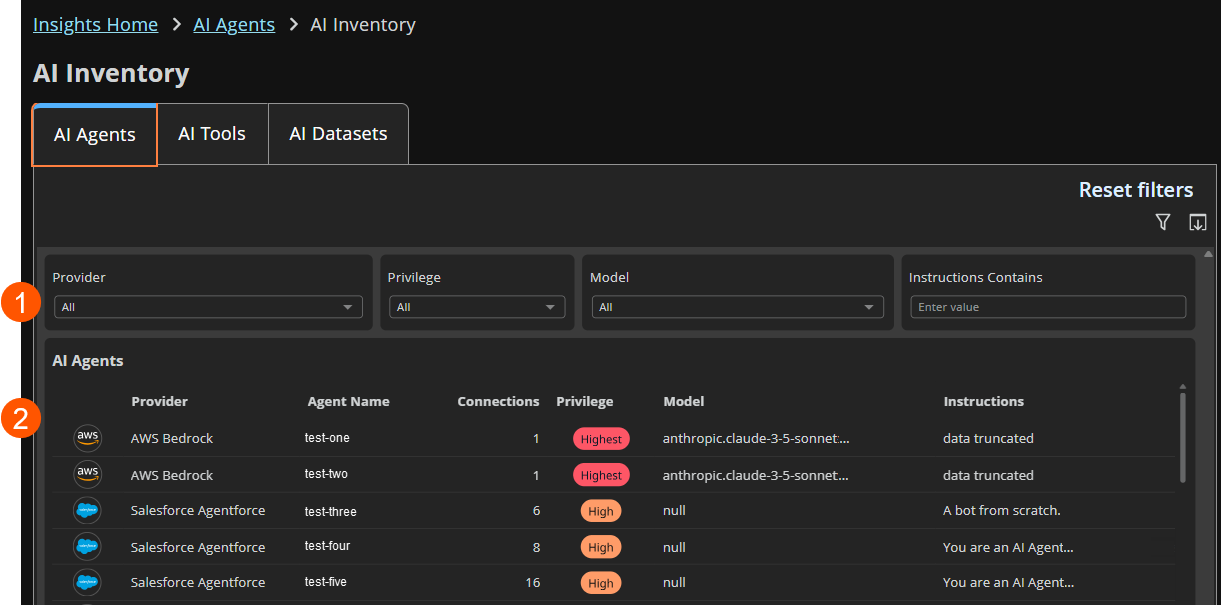
- Filters: Select a filter to focus your results.
Filter types
Provider: Select a provider name from the list.
Privilege: Select the privilege entitlement: High, Highest, Undetermined, or select all.
Model: Select the AI model used by the agent. Select all to see all models.
Instruction contains: Enter a text string to sort on instructions.
- More information about the AI agent, including name, provider, privilege, connections, and instructions. Click any agent in the list to drill down to the dynamic side panel. More information in the next section.
Investigate AI agents
While the Agent Inventory page provides a high-level view into all AI agents in your environment, you can see more details and insights for each agent.
-
Sign into app.beyondtrust.io.
The BeyondTrust Home page displays. -
From the top left of the page, click
 > Insights > Agent Inventory.
The Agent Inventory page displays. -
On the AI Agents tile, select an agent that you'd like to see more details on.
The agent panel displays.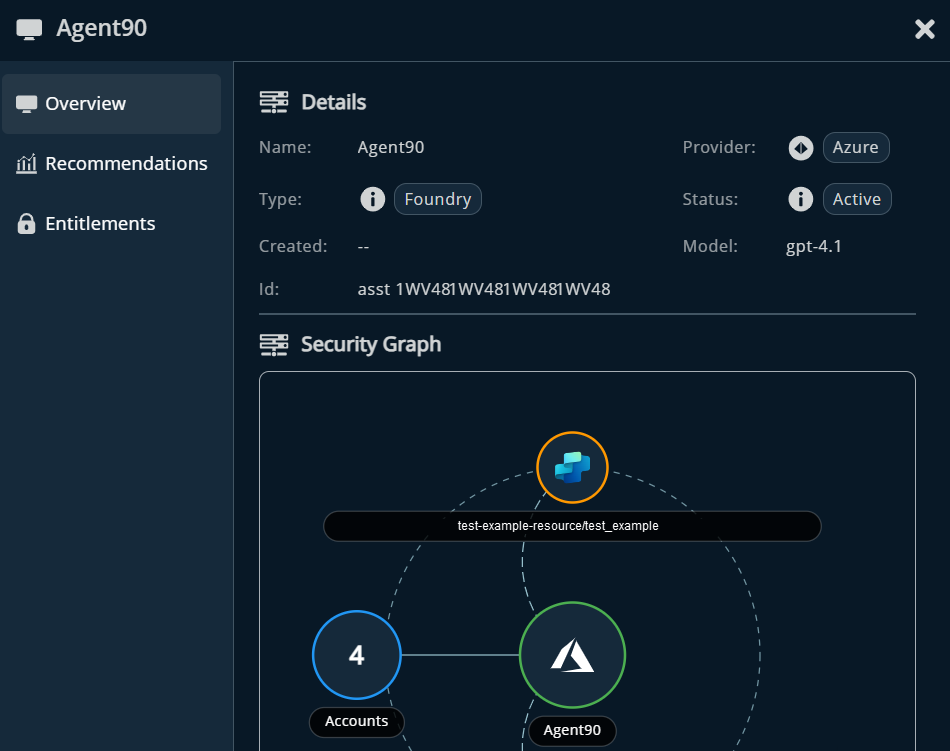
The panel adapts based on the agent’s provider and configuration and may include:
- Details: Common metadata (e.g., name, status, model) plus provider‑specific fields (e.g., Azure subscription details) for quick identification and context.
- Security Graph: Visualizes the agent’s relationships showing which accounts can access it and how it connects across the environment. The graph can help you identify privileged chains or unexpected exposures.
- Agent Privileges: Lists permissions granted to the agent, helping teams spot overprovisioned or risky access.
- Who Can Access This Agent: Surfaces roles, entities, and even other agents that can invoke it highlighting potential cascading paths to privilege.
- Tools: Shows callable tools such as MCP servers, Power BI integrations (for Copilot), or custom/third‑party actions (for Agentforce via AgentExchange).
- Knowledge Sources: The data sources shaping how the agent works such as internal documents, databases, or third-party content. The quality and sensitivity of these sources directly influence the agent's behavior. If it's grounded and outdated and or confidential material, it can make decisions that are inaccurate or worse, expose sensitive information.
- Recommendations: Highlights prioritized security recommendations based on privilege level and severity.
- Entitlements: Enumerates entitlements with privilege level and type to assess exposure and control.
Review AI tools
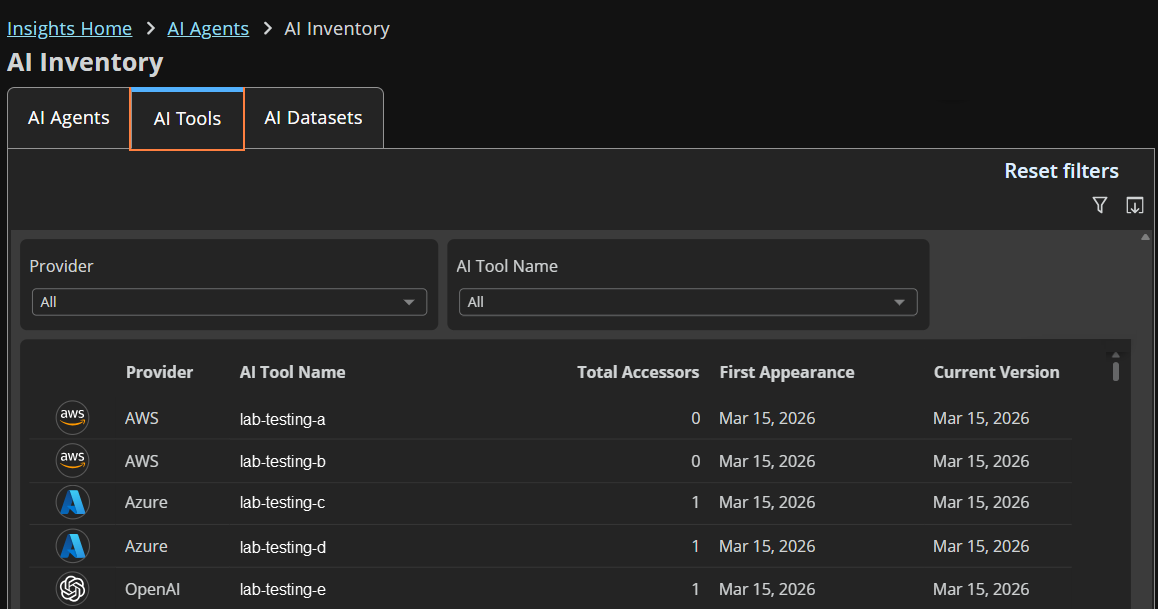
On the AI Tools tab view every tool your AI agents are configured to call across all connected providers: functions, API connectors, action groups, and more.
Filter by provider or tool name, track accessor counts and versions, and click into any row for more details.
Review datasets
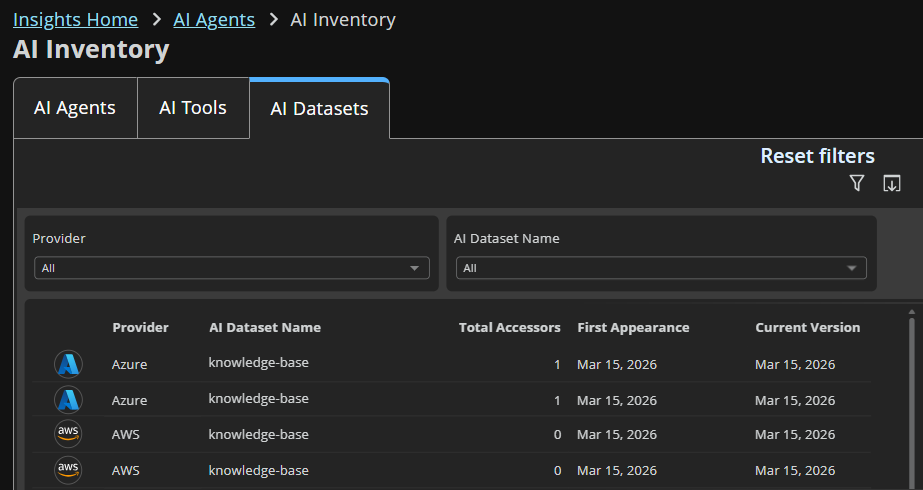
On the AI Datasets view the knowledge bases, data stores, and content sources your agents draw from.
Filter by provider or dataset name, track accessor counts and versions, and click into any row for more details.
Updated 1 day ago
