
Audit logs | Entitle Pathfinder
Overview
The Audit logs screen in Entitle is where you can find logs for every action taking place within your Entitle tenant; for example, changes to permissions, policies, access requests, etc.
View role access to the Audit Logs page
See which roles can perform each action.
ImportantThis page is accessible only to Super Admins, Tenant Admins, Admins, and Read-Only Admins.
| Actions | Super Admin | Tenant Admin | Admin | Read-Only Admin |
|---|---|---|---|---|
| Filter audit logs | Allowed: Action is available and clickable | Allowed: Action is available and clickable | Allowed: Action is available and clickable | Allowed: Action is available and clickable |
| Select timezone | Allowed: Action is available and clickable | Allowed: Action is available and clickable | Allowed: Action is available and clickable | Allowed: Action is available and clickable |
| Download as CSV | Allowed: Action is available and clickable | Allowed: Action is available and clickable | Allowed: Action is available and clickable | Visible but deactivated: Action is shown but cannot be clicked |
Log in to Entitle via Pathfinder
- Sign in to app.beyondtrust.io with your credentials. The BeyondTrust Pathfinder Home displays.
- At the top right of the page, select your site from the drop-down.
- Select the Entitle tile from your list of available applications, and from the top left menu, select Audit logs.
Audit logs overview
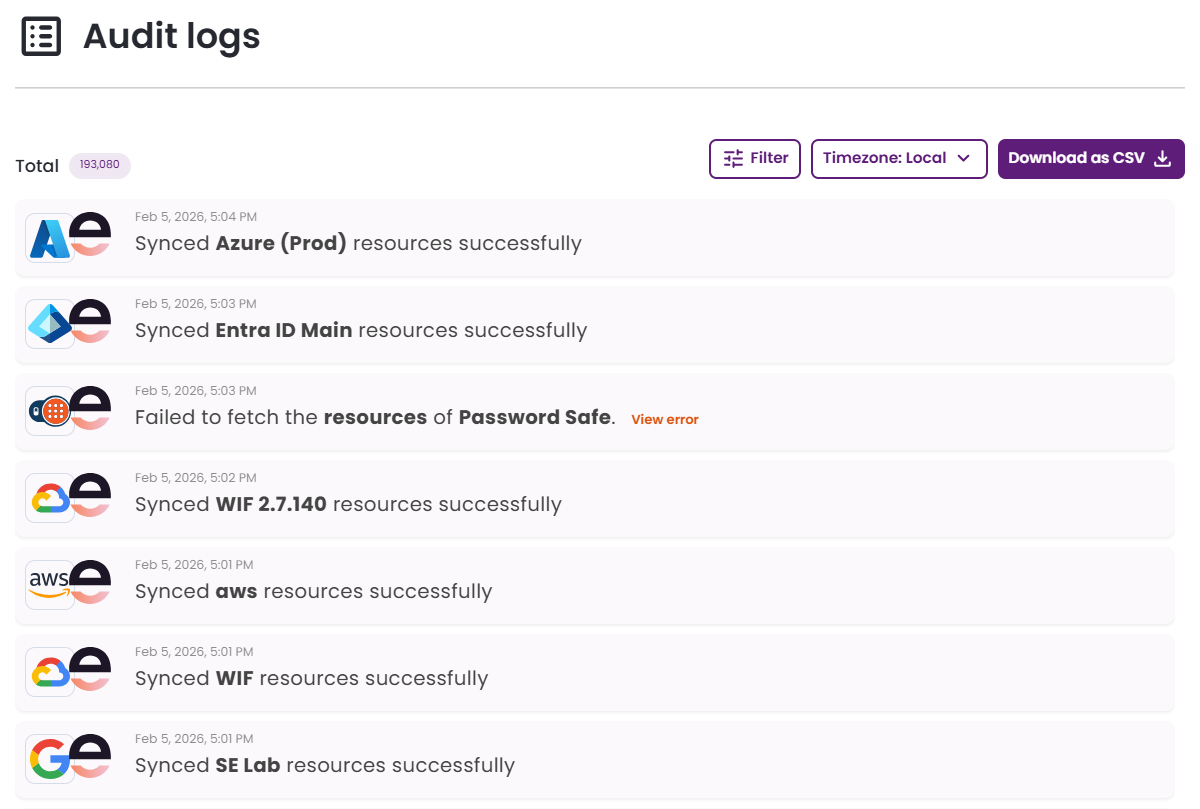
Here you can find all the audit events taking place within your Entitle tenant. This page has several functionalities:
- View all audit logs within your tenant.
- Filter audit logs based on the following options:
- User
- Integration
- Status
- Date & Time
- Action
- Switch the displayed timezone between local and UTC.
- Download the list of audit logs using the Download as CSV button.
When no filters are applied, the export includes all audit log data. When filters are applied, only the filtered results are exported.
Updated 20 days ago
