
Okta webhooks | Entitle
Overview
Okta webhooks are important for immediate synchronization because they enable real-time communication and ensure that changes or events in Okta are quickly propagated to Entitle.
To propagate changes immediately in Entitle, you will be required to create webhooks in your Okta directory.
There are two different types of Okta webhooks for Entitle:
- Integration Webhook: For the Service Application added in Entitle's Integrations page.
- Directory Webhook: For the Service Application added in Entitle's Org Settings page.
Setting up Okta webhook
- Log in to your Okta Admin Directory.
- Navigate to Workflows > Event Hooks > Create Event Hook.
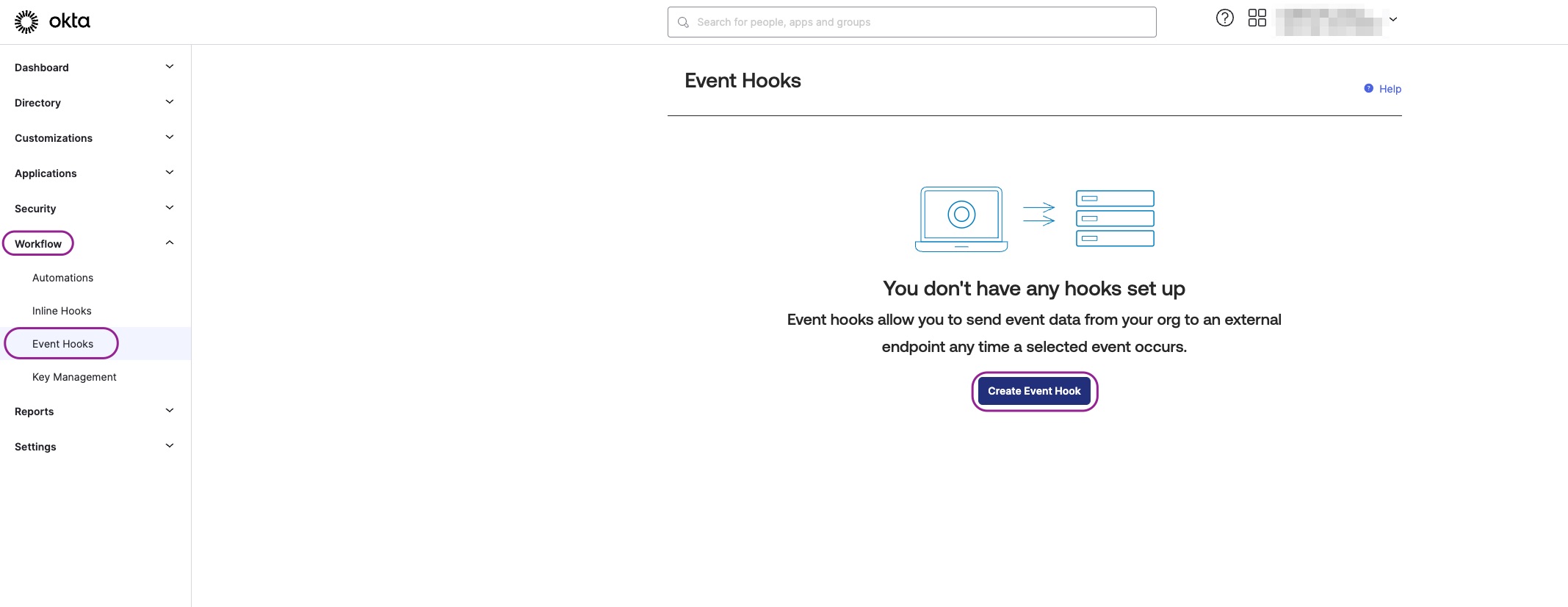
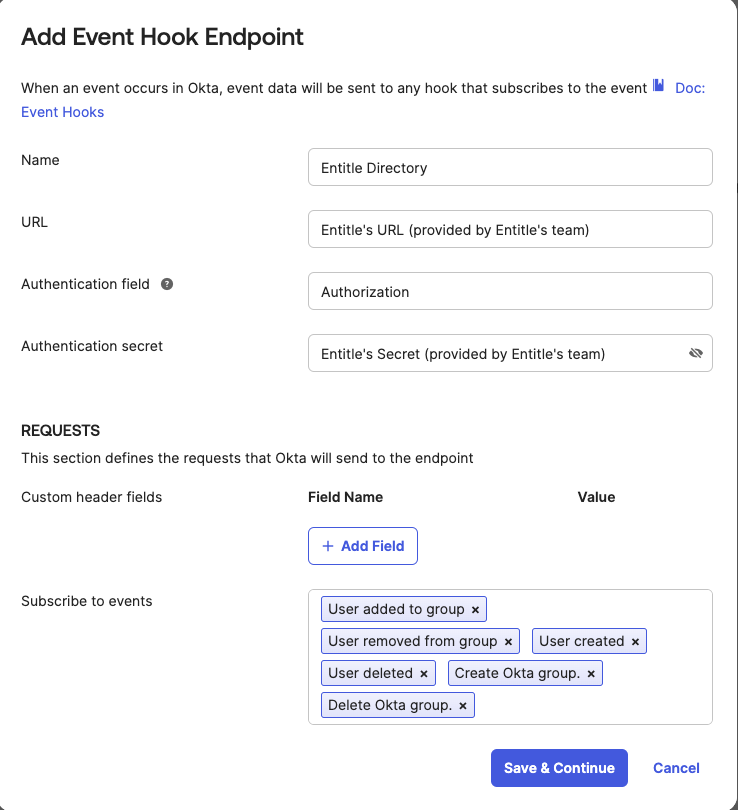
- Complete the form by following the guidelines below:
- Click Save & Continue.
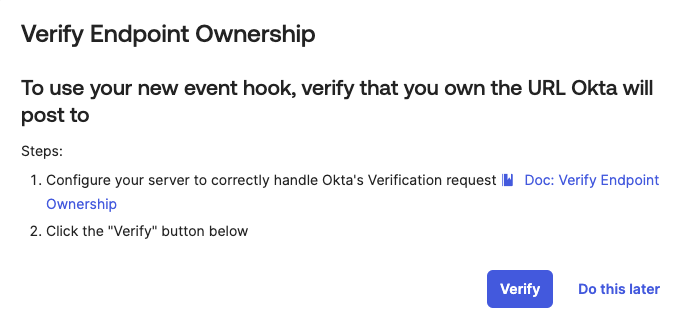
- Click Verify on the Verify Endpoint Ownership page to validate that the webhook is configured properly.
- In case the verification process succeeds, you are set to go.
- In case the verification process fails, contact Entitle's team to further investigate.
- URL: Provided by Entitle upon request
- Authentication Field: Authorization
- Authentication Secret: Provided by Entitle upon request
- Events:
- User added to group
- User removed from group
- User created
- User deleted
- A user's admin privileges changed
- All of user's admin privilege revoked
- Admin role assignment is created
- Admin assignment is deleted
- Create Okta group
- Delete Okta group
Optional - if Okta applications are managed through Entitle - User assigned to app
- User unassigned from app
- Create application
- Delete application
Understand admin role eventsOkta includes the following admin role events in the webhook event selection UI. Entitle uses these events to synchronize admin role changes.
Predefined admin roles (for example,
SUPER_ADMIN,APP_ADMIN):
- A user's admin privileges changed: Sent when a user is first assigned a predefined admin role.
- All of user's admin privilege revoked: Sent only when the user's last predefined admin role is removed. This event does not fire for each individual role removal.
Custom admin roles:
- Admin role assignment is created: Sent when a custom admin role is assigned to a user or group through a resource set.
- Admin assignment is deleted: Sent when a custom admin role binding is removed from a user or group. This corresponds to Okta event type iam.resourceset.bindings.delete.
Resource sets and bindings apply only to custom admin roles.
Predefined admin roles do not use resource sets or bindings.
Should you need to allowlist this integration, these are the IP address ranges from which Entitle's service reaches the integration:
- Entitle EU (Cloud deployment)
- 34.243.199.171
- 54.216.133.226
- Entitle US (Pathfinder deployment)
- 52.45.229.219
- 54.88.235.213
- 3.224.15.134
Updated about 8 hours ago
