
JumpCloud admin | Entitle
Overview
JumpCloud Admin gives IT Admins quick access to update the features and resources important for their organization and users. It does it all through a common directory in the cloud, instead of through legacy, on-premises IT systems.
Entitle can manage Admin Roles in JumpCloud Admin.
Entitle supports the creation of ephemeral (temporary) accounts for this integration, enabling more secure Just-In-Time (JIT) access.
General guidelines
To integrate your JumpCloud Admin in Entitle, you will need to extract two fields:
URLToken
Set up JumpCloud admin to work with Entitle
Extract a new API key
-
Log in to your JumpCloud Admin account.
-
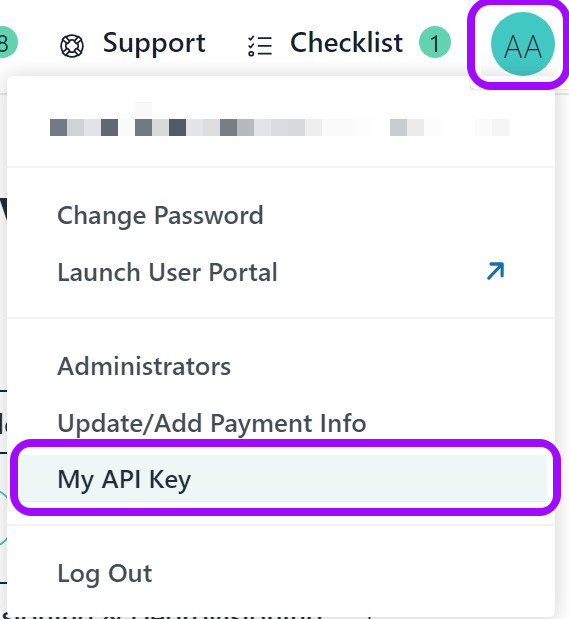
Click on your user profile icon in the top-right corner and select My API Key.
-
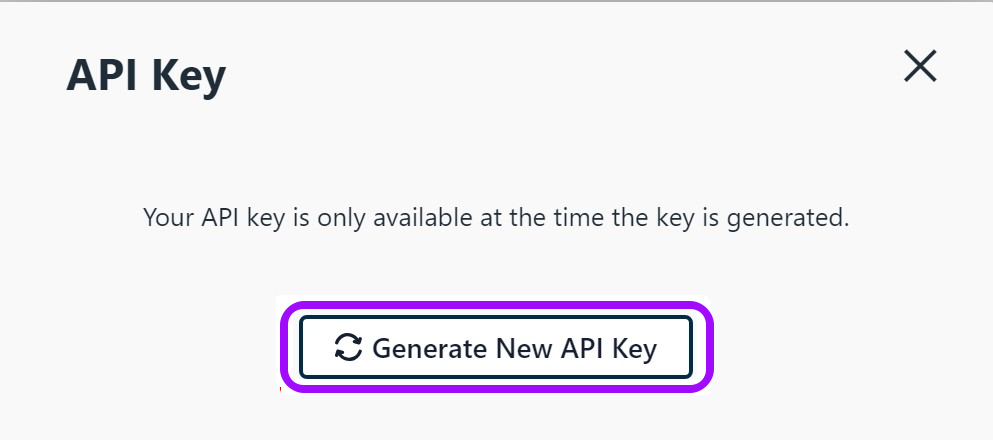
In the new pop-up window, click on Generate New API Key.
-
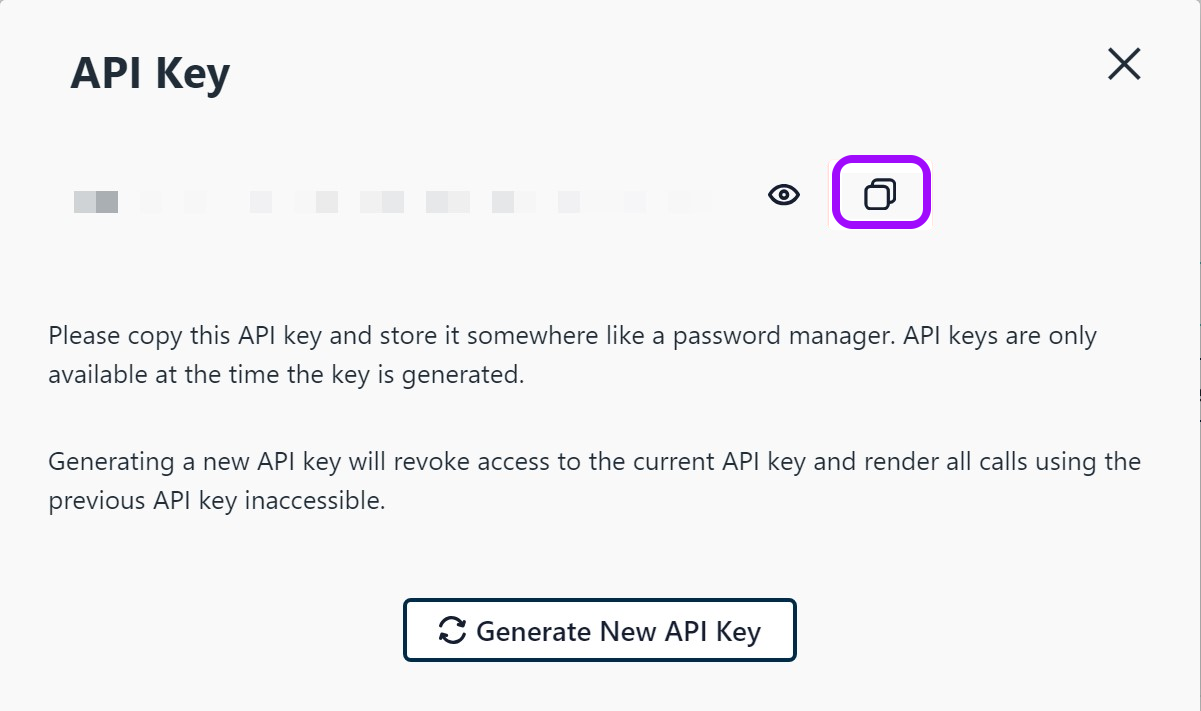
Copy your new API Key and keep it for later.
Creating the integration in Entitle
- Log in to Entitle and go to the Integrations page.
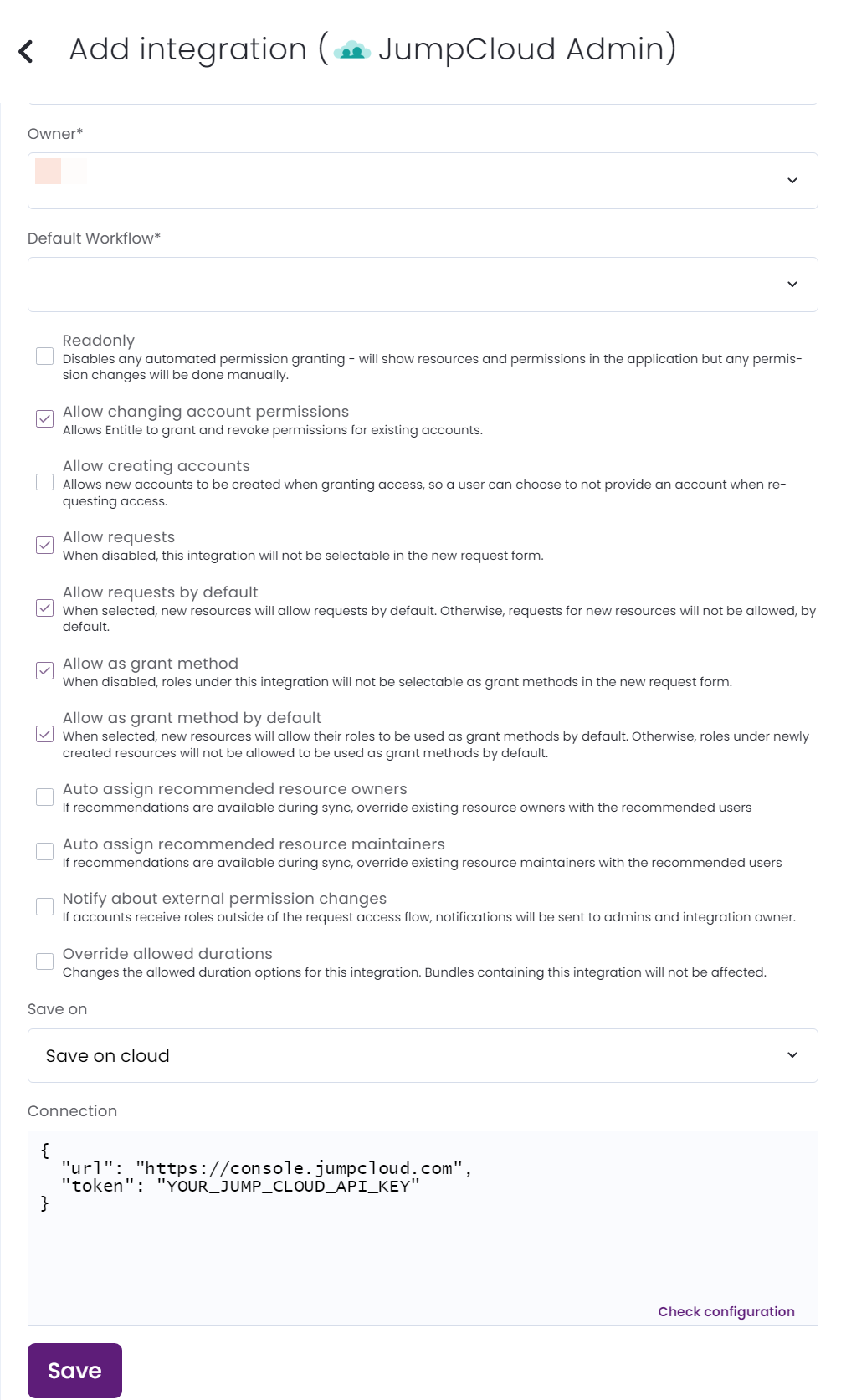
- After clicking the Add Integration button, type JumpCloud Admin in the Application field.
- Don’t forget to set the Save on field with your configuration, i.e., your own hosted agent or Entitle’s cloud.
-
In the connection JSON, paste the following values:
url- copy the https://console.jumpcloud.com part of the URL.

-
Click Save.
Should you need to allowlist this integration, these are the IP address ranges from which Entitle's service reaches the integration:
- Entitle EU (Cloud deployment)
- 34.243.199.171
- 54.216.133.226
- Entitle US (Pathfinder deployment)
- 52.45.229.219
- 54.88.235.213
- 3.224.15.134
What's next?Make sure your setup is complete by testing your integration.
Updated 7 days ago
