
JumpCloud Directory | Entitle
Overview
JumpCloud is a zero-trust directory platform that customers use to authenticate, authorize, and manage users, devices, and applications. It does it all through a common directory in the cloud, instead of through legacy, on-premises IT systems.
Entitle populates the following resource types in the JumpCloud connections:
- Groups
- Users
- Managers (optional)
This page will provide you with instructions on how to connect Entitle and JumpCloud as a directory.
General guidelines
In case you have already integrated JumpCloud in the Integrations catalog using this guide, the steps on this page are identical.
Set up JumpCloud to work with Entitle
Extract a new API key
-
Login to your JumpCloud account.
-
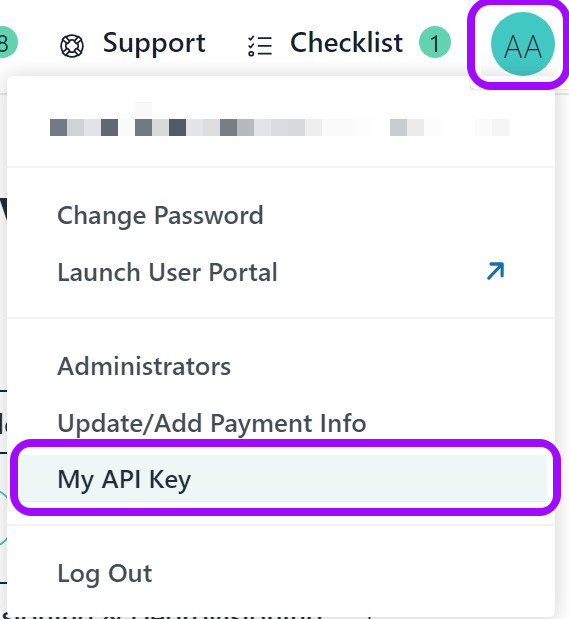
Click on your user profile icon in the top-right corner and select My API Key.
-
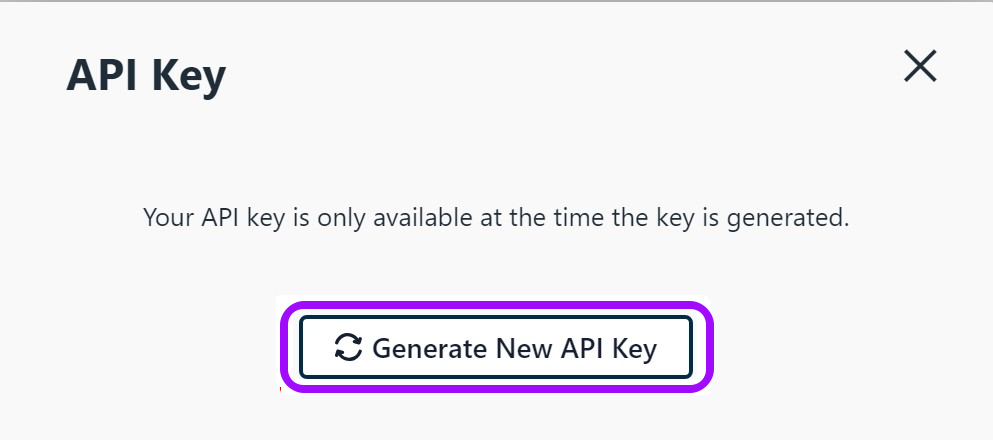
In the new pop-up window, click on Generate New API Key.
-
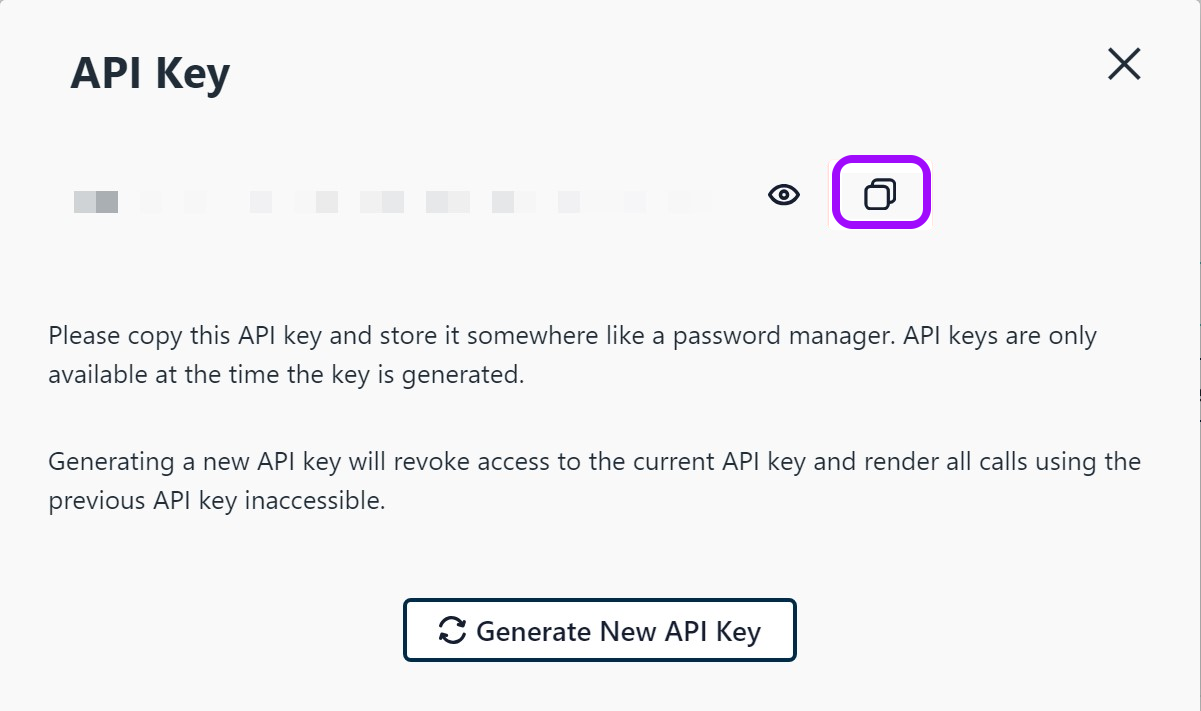
Copy your new API Key and keep it for later.
Creating the integration in Entitle
- Log in to Entitle and go to the Org Settings page.
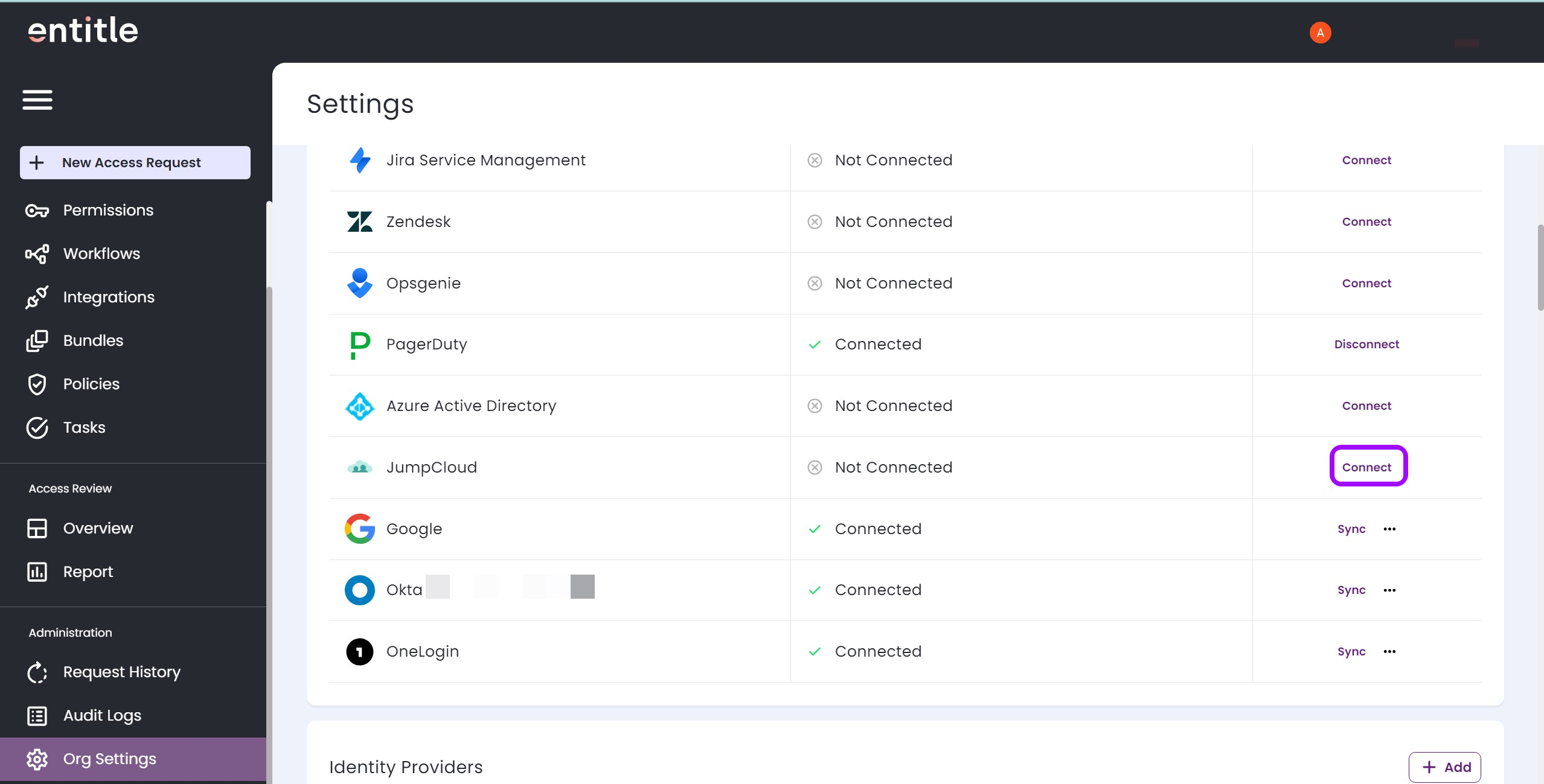
- Under the Connect To section, navigate to the JumpCloud option, and click Connect.
-
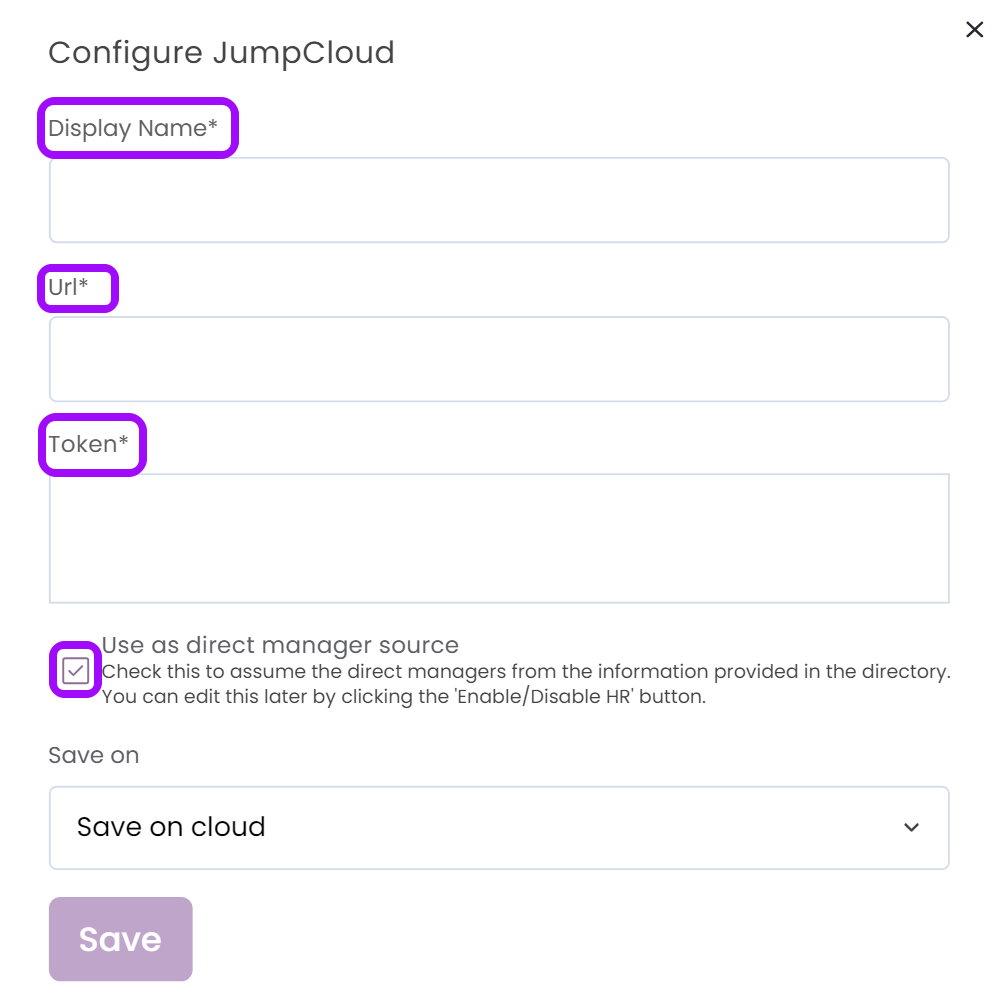
In the pop-up window Configure JumpCloud, fill in the required details:
-
Display Name of your choice.
-
Url: paste the following URL https://console.jumpcloud.com.
-
Token: paste the new API Key you created earlier.
-
Make sure the checkbox is checked, and don’t forget to set the Save on field with your configuration, i.e. your own hosted agent or Entitle’s cloud. Finally, click Save.
-
Test your IdP connection
-
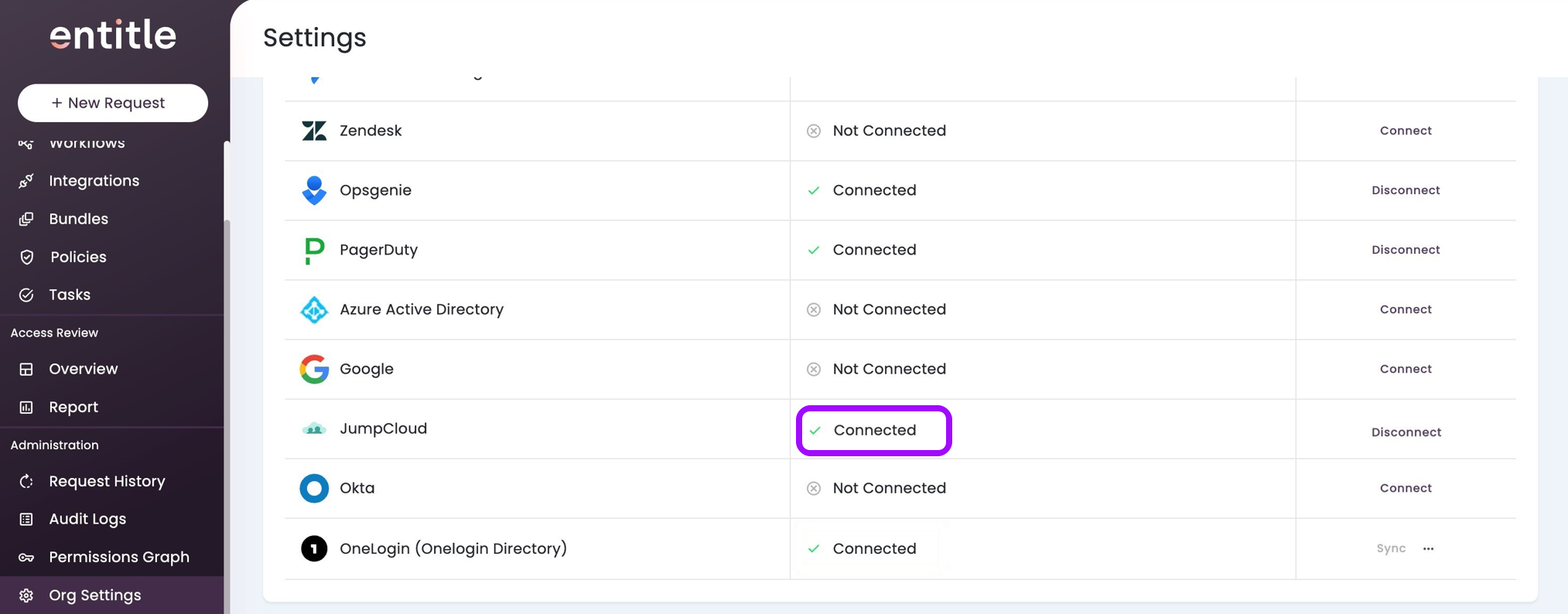
After being redirected to the Org Settings page, you should be able to see that the JumpCloud is now Connected.
-
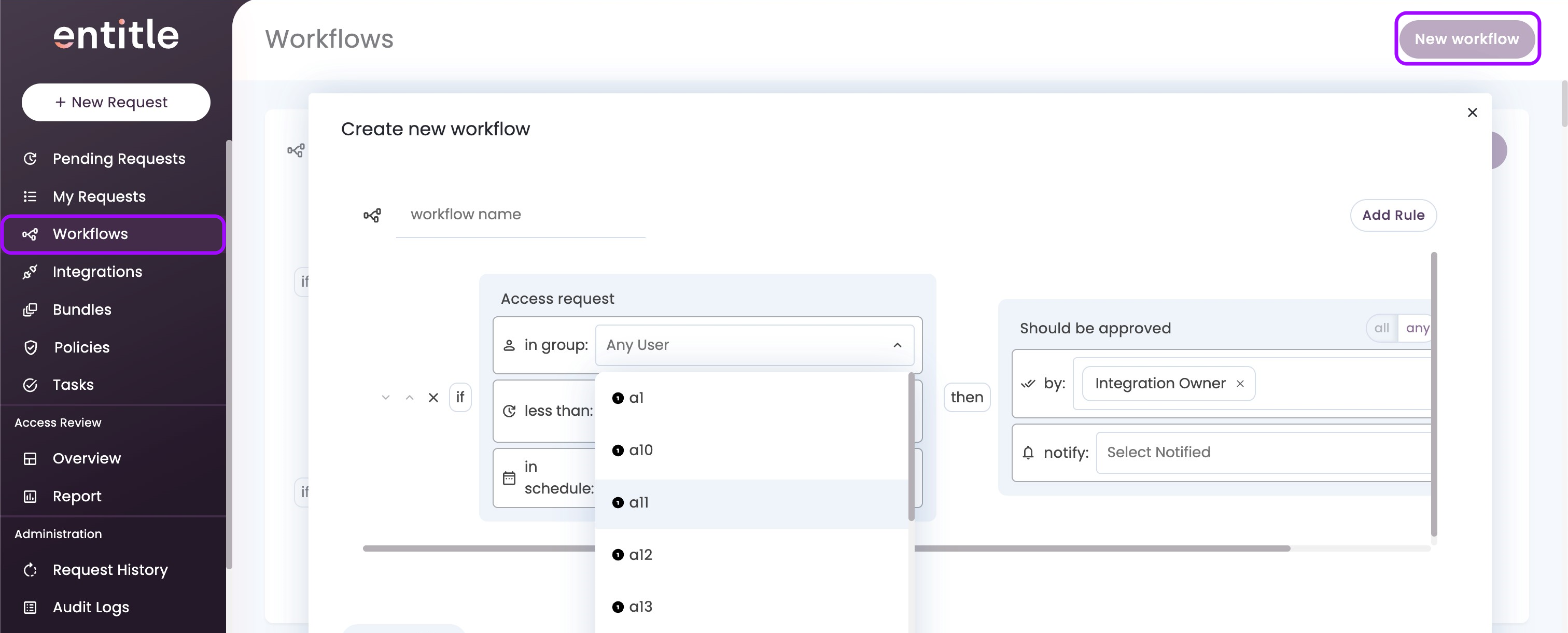
Within a few minutes, refresh your browser page and go to the Workflows tab. Then, click on New Workflow. You should now be able to see all the groups are fetched.
Should you need to allowlist this integration, these are the IP address ranges from which Entitle's service reaches the integration:
- Entitle EU (Cloud deployment)
- 34.243.199.171
- 54.216.133.226
- Entitle US (Pathfinder deployment)
- 52.45.229.219
- 54.88.235.213
- 3.224.15.134
Updated 7 days ago
