
Entitle January 2026 release notes
Filter Entitle users by IdP group membership
Administrators can now control which users are synchronized into Entitle based on identity provider (IdP) group membership. This makes it easier to limit Entitle access to specific departments, locations, or business units, reducing noise in user lists and aligning access with directory governance.
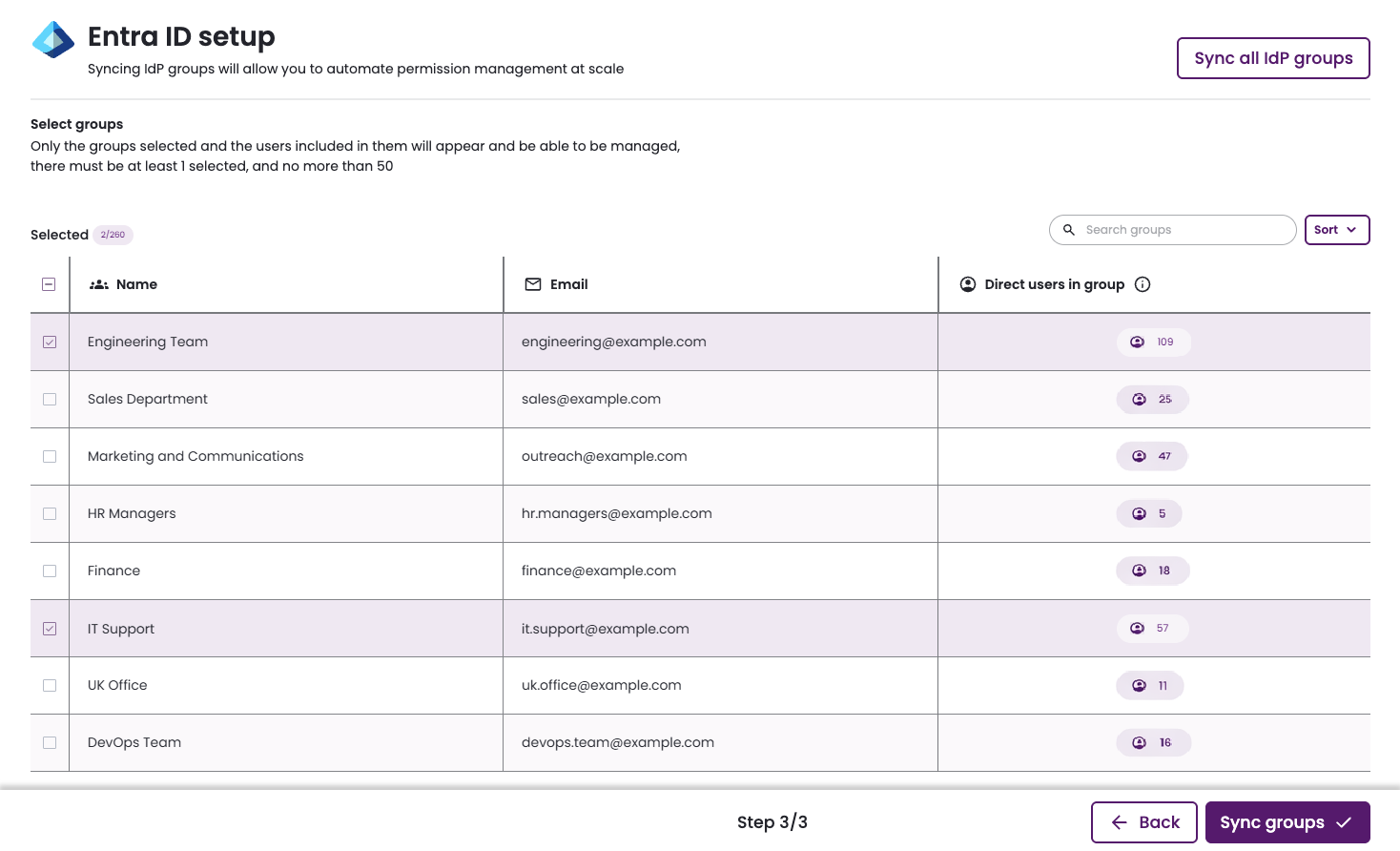
For more information, see Filtering users by IdP groups for Entra ID.
Public Slack channels for approvals and auditing
In some organizations, access requests may be sent to public Slack channels, either with approval action options or for auditing and consultation purposes.
Your Entitle administrator sets up the Slack channel usage configuration for the various access approval flows.
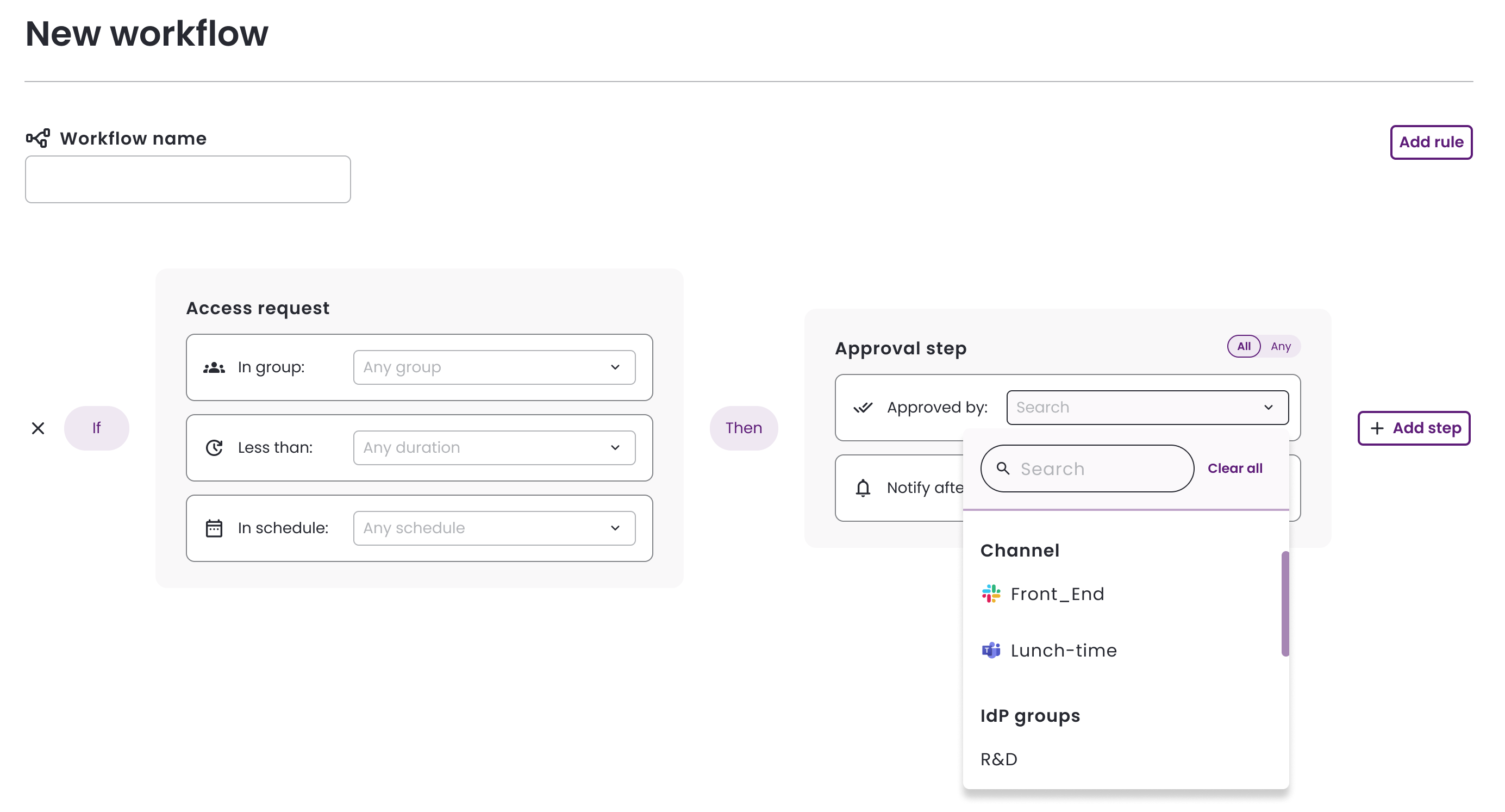
For more information, see Slack channel approvals.
Azure DevOps Integration now supports multi-roles
Azure DevOps roles now support requests that include multiple roles for a repository resource, or for all repositories.
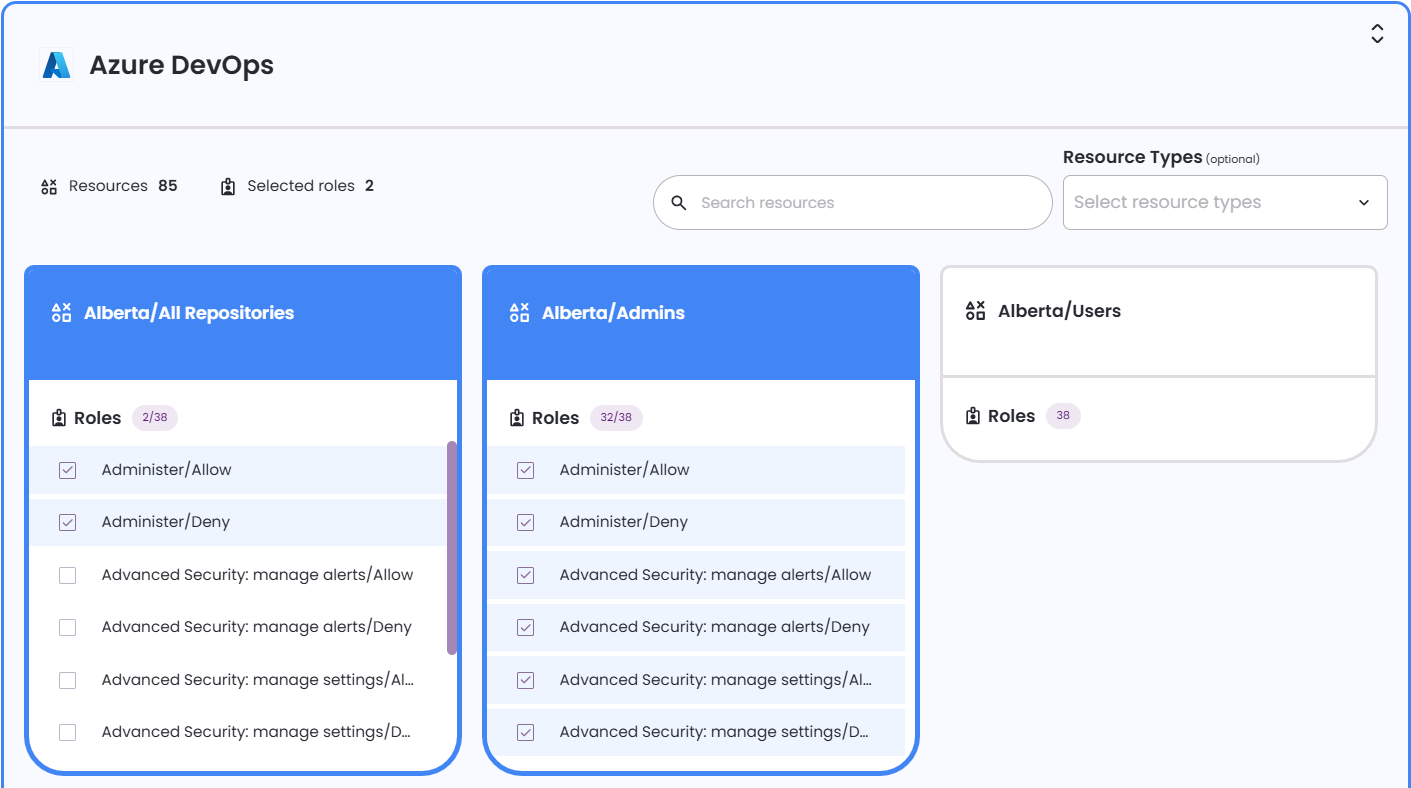
For more information, see Create a new request.
Enhanced indirect permissions support for Google Workspace integration
The Google Workspace integration now supports more indirect permissions types, such as nested group memberships. This gives administrators clearer visibility into how access is inherited using Entitle built-in visibility tools such as permissions graph, permissions table, and access reviews, helping identify effective access even when it is not granted directly.

Simplified Google Workspace integration setup
The Google Workspace integration configuration has been simplified. Entitle administrators now need to provide only the required service account and "credential subject", an administrator in your organization who has permission to view all users and groups. Admin roles are detected automatically based on the domain-wide delegation scopes.
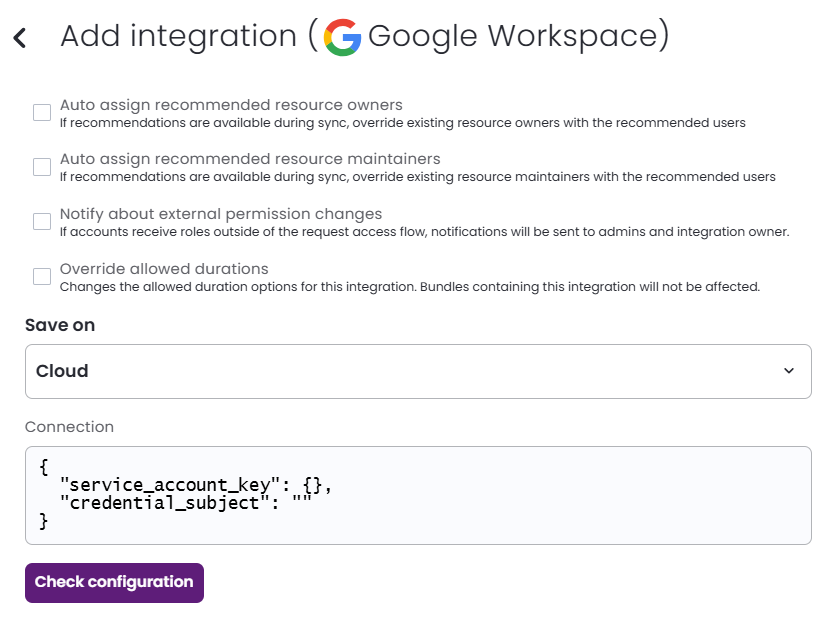
For more information, see Google Workspace.
Simplified Org settings navigation
The Org settings page is now organized into clearly labeled tabs, making it easier for administrators to find and manage configuration options. Related settings are grouped together to reduce scrolling and help teams quickly locate integration, notification, and security controls.
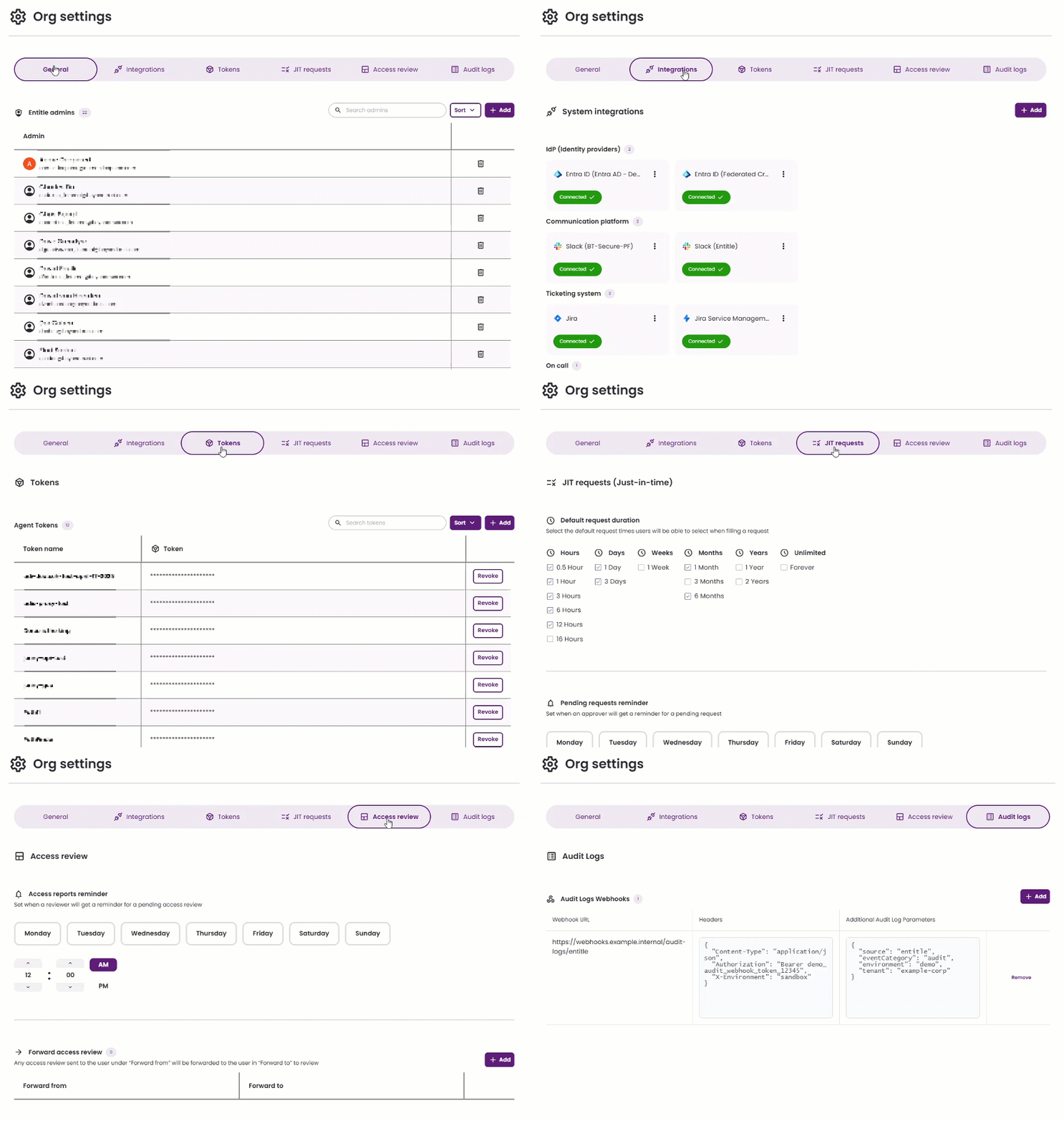
For more information, see Org settings.
Search and sort admins on the Org settings page
The Org settings page now includes search and sort controls for the Admins list, making it easier to find and manage organization administrators. Admins can be searched by first name, last name, or email, and arranged by full name in ascending or descending order. The total admin count updates dynamically to reflect the current results.
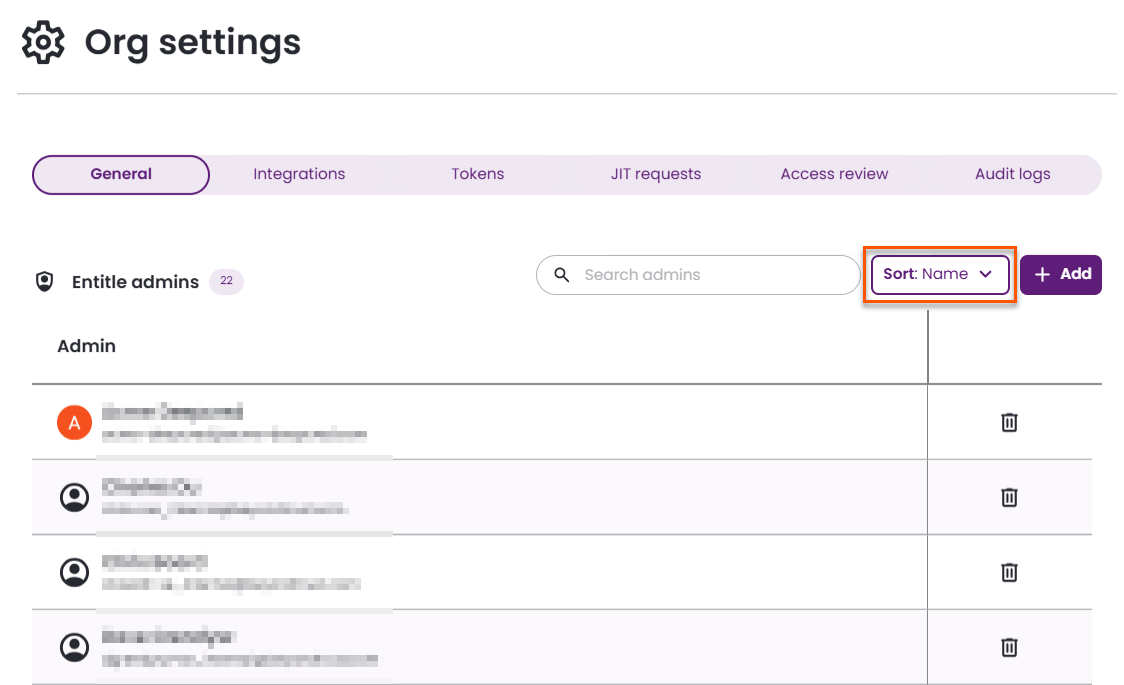
For more information, see View and manage your organization's admins in Entitle.
Improved CSV export and search for audit logs and request history
CSV exports for both Audit logs and Request history now provide more complete, readable datasets, making it easier to review and analyze activity outside the UI. Search has also been expanded across both views to include additional fields, helping administrators more quickly locate specific events and requests.
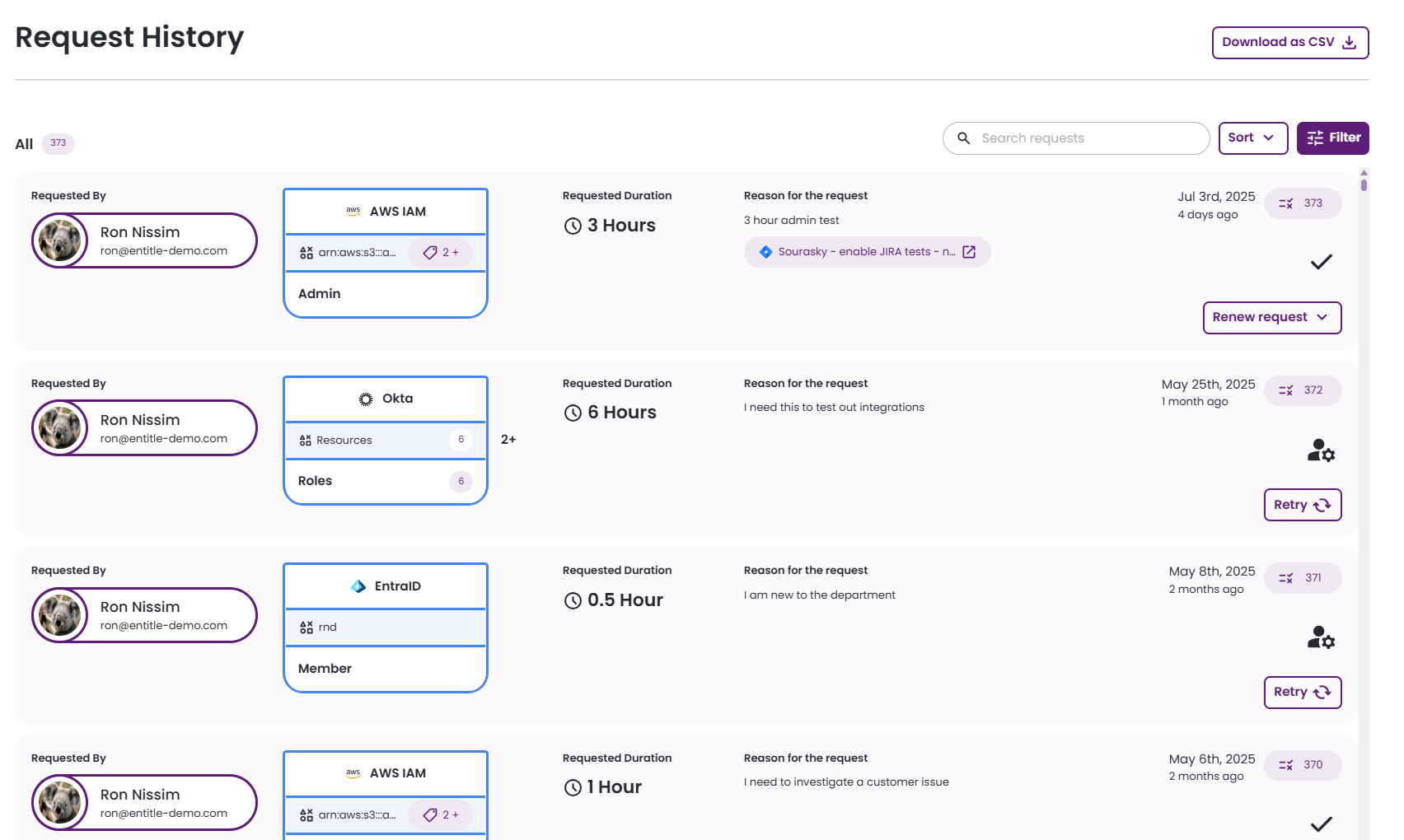
For more information, see Audit logs and Requests history.
Real-time updates for audit logs
The Audit logs page now updates in real time, so new events appear automatically without requiring a page refresh. This improves observability and makes it easier for administrators to monitor access activity as it happens.
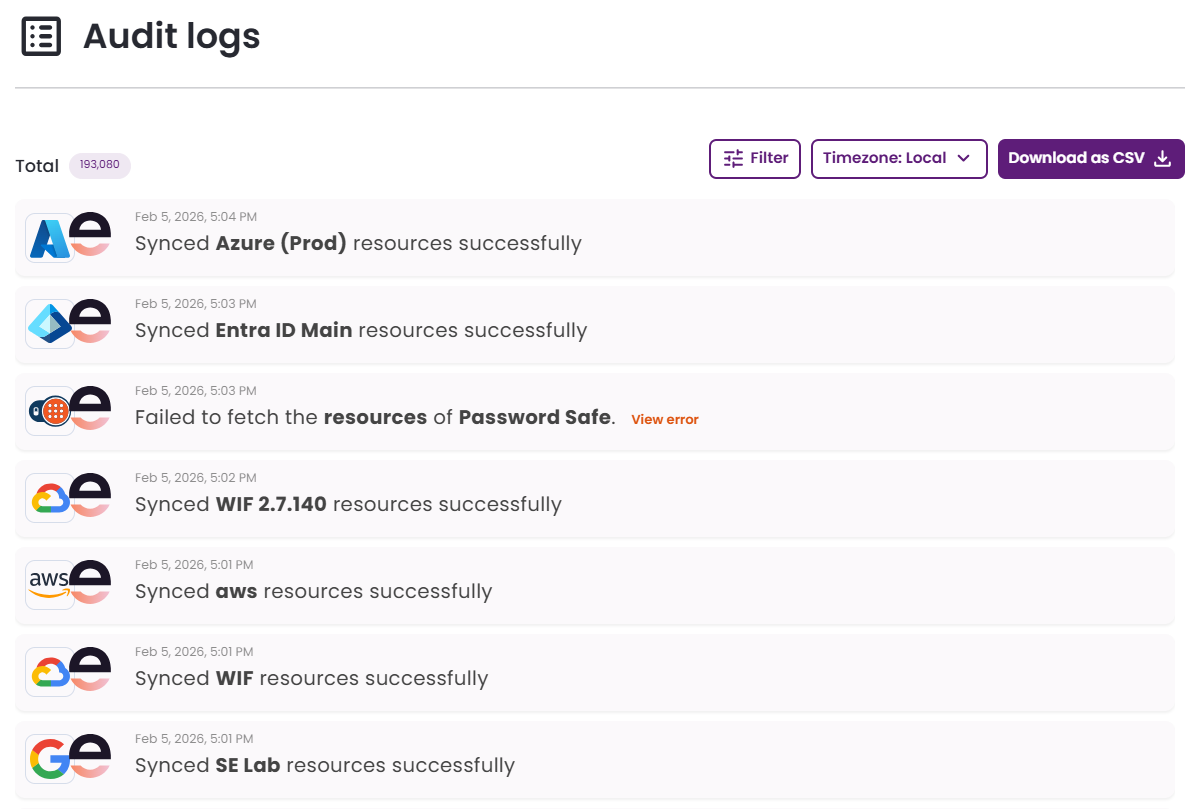
For more information, see Audit logs.
Prevent deletion of in-use approval workflows
The Approval workflows page now prevents workflows that are currently in use from being deleted. This helps avoid removing configurations referenced by existing policies or resources and reduces the risk of broken approval flows.
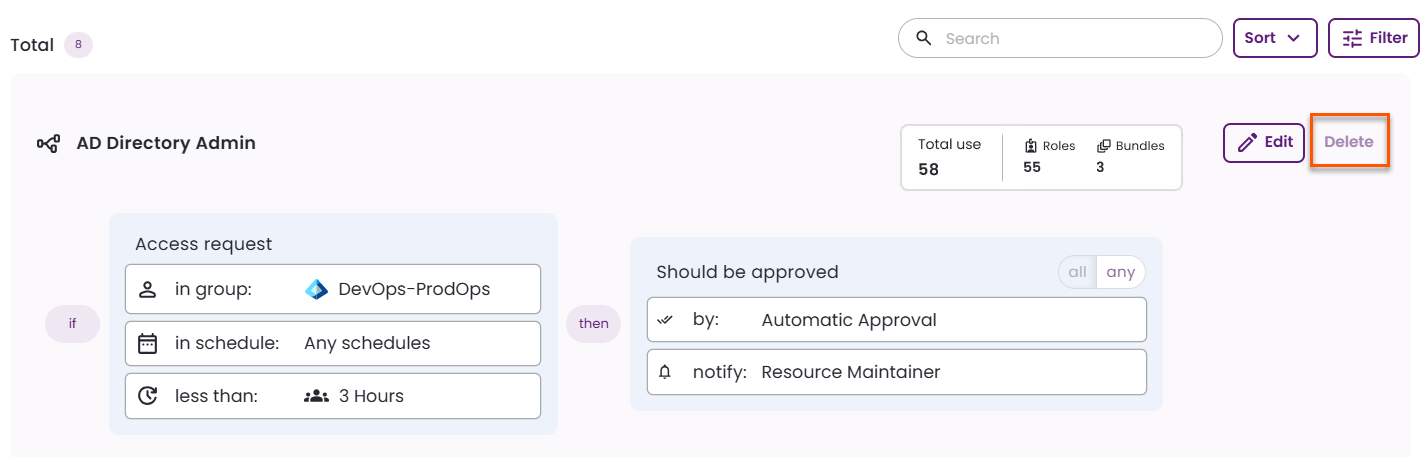
For more information, see Edit and delete approval workflows.
Added filtering to the Tasks page
The Tasks page now supports advanced filtering so administrators can quickly narrow down tasks based on criteria such as assignee, permissions for a specific user, integration, resource, role name, and task type (add, revoke, or revert permissions).
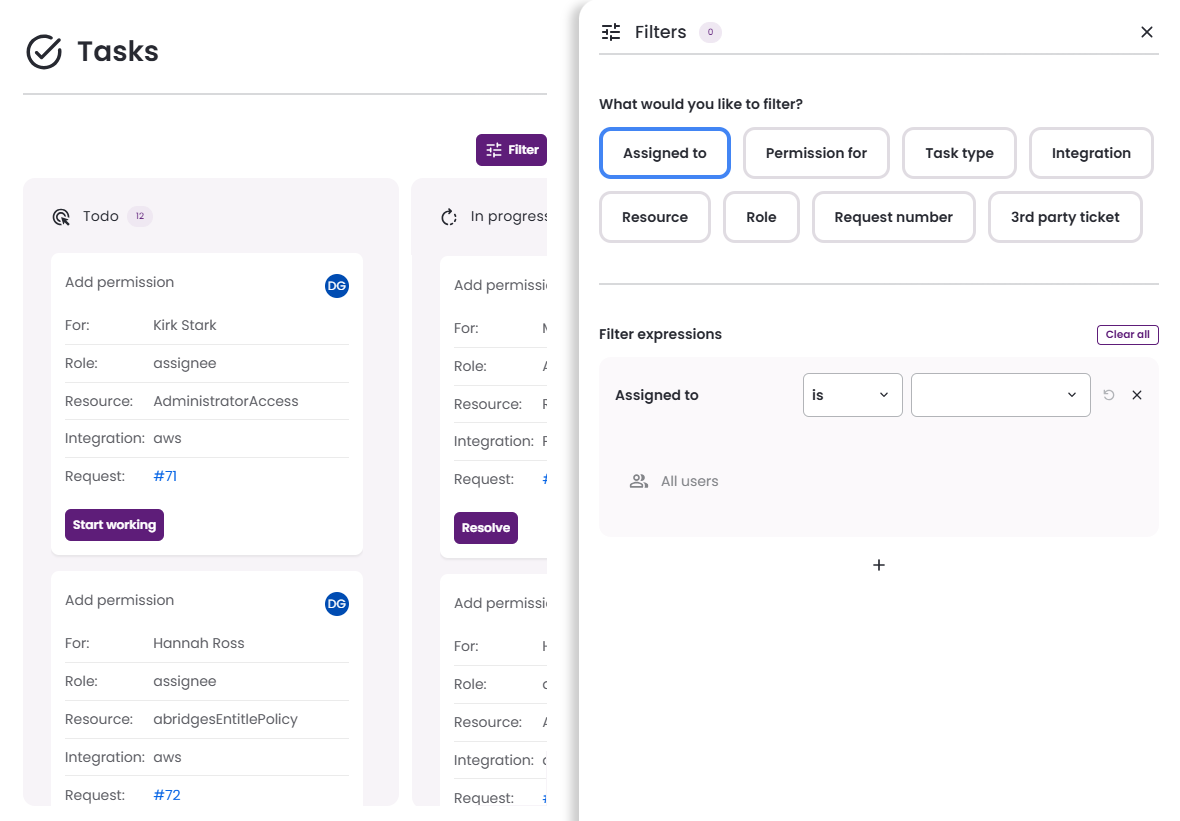
For more information, see Tasks.
Fetch available applications through the public API
Entitle now provides a public Applications API that allows administrators to retrieve available applications for integration programmatically. This supports API--driven workflows and reduces the need to rely on the UI for discovery.
The GET /public/v1/applications endpoint returns all active (non-deleted) applications, including each application's ID and name. The endpoint supports pagination using the page and perPage parameters and requires authentication with an admin personal access token or a global API token.
For more information, see Get a list of applications.
Integration deletion performance optimization
The integration deletion process was optimized for large-scale deployments. Administrators can track deletion progress and any potential failures through logged events and audit entries.
