
Updates | PRA Cloud
What is the Updates page?
The Updates page in the /appliance web interface is where you manage software updates for the B Series Appliance, ensuring it operates with the latest features, performance improvements, and security patches.
How is it useful to my organization?
Keeping the appliance updated minimizes vulnerabilities, maintains compatibility with BeyondTrust services, and supports optimal performance, enhancing overall reliability and security.
How do I access the Updates page?
- Use a Chromium-based browser to sign in to your B Series Appliance. The URL is provided in the BeyondTrust welcome email and includes your site URL followed by /appliance.
- From the top menu, click Updates.
The Updates page opens and displays by default.
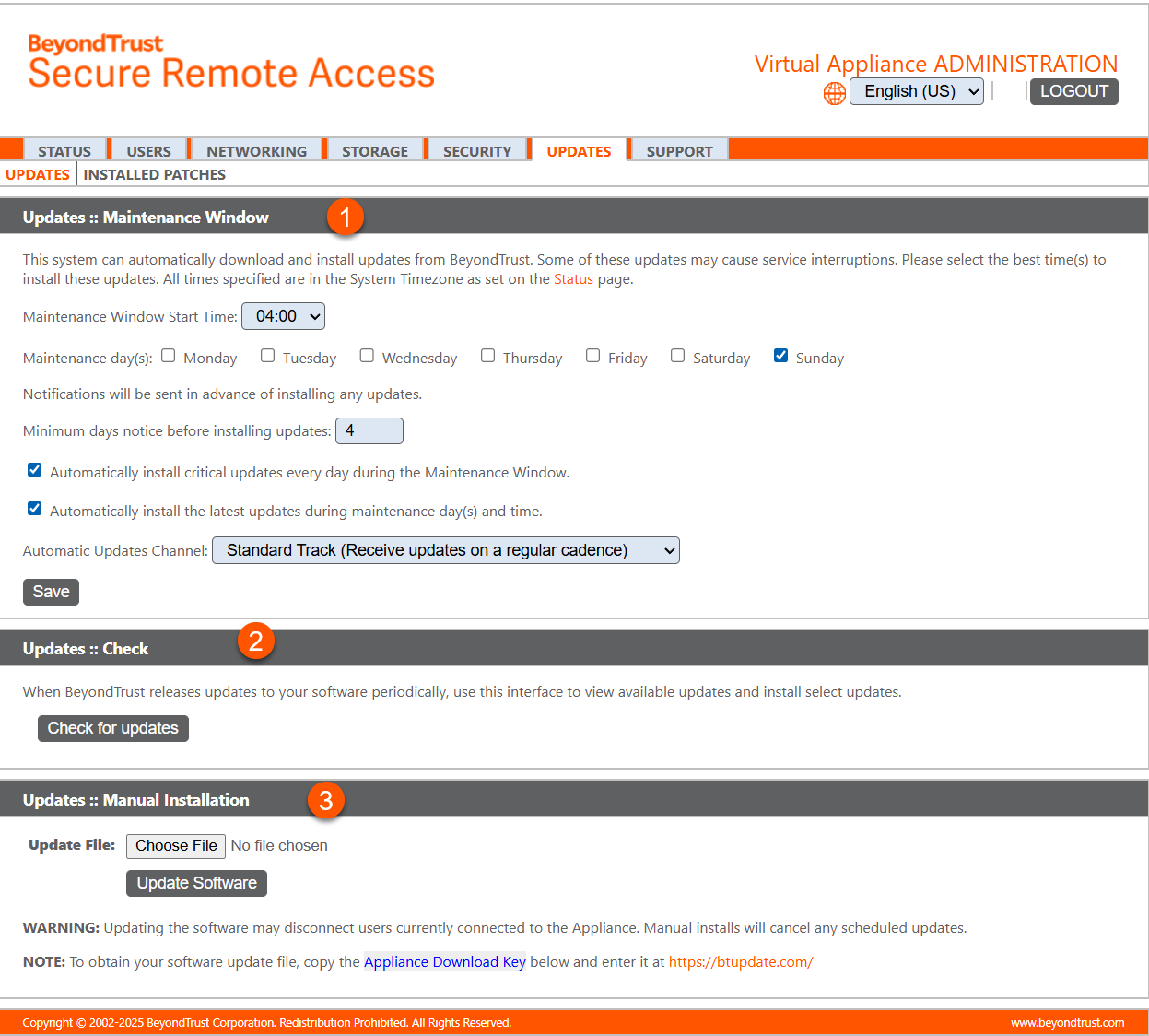
- Maintenance Window: Allows the administrator to schedule a time for updates.
- Check for updates: Checks to see if new updates are available.
- Manual Installation: Allows the administrator to manually install updates.
How to install updates
BeyondTrust will install the latest builds on your appliance as they become available. Because BeyondTrust manages a large number of systems, installation across all systems is staggered. If you would like to check if any update packages have been built for your B Series Appliance, clicking the Check for Updates button will locate the packages and make them available for you to install.
If multiple software packages have been built for your B Series Appliance, each one will be listed separately in the list of available updates. Your new software is automatically downloaded and installed when you click the appropriate Install This Update button.
If no update packages or patches are available for your B Series Appliance, a message stating "No updates available" is displayed. If an update is available but an error occurred when distributing the update to your B Series Appliance, an additional message is displayed, such as "An error occurred building your update. Please visit BeyondTrust support for more information."
Automatic updates disabled by default
Based on customer feedback, we have decided to keep the default setting for general automatic updates disabled. This approach ensures customers retain full control over their update preferences and overall experience.
Important informationThis does not apply to FedRAMP customers.
Customers may still choose to enable automatic updates at any time through their settings.

- Maintenance Window: Allows the administrator to schedule a time for updates.
- Check for updates: Checks to see if new updates are available.
To turn on automatic updates:
- From the left menu, select Appliance.
- Click Updates.
- Check the box next to Automatically install the latest updates during maintenance day(s) and time.
- Click Save.
Maintenance window
You can set a time to automatically download and install updates from BeyondTrust.
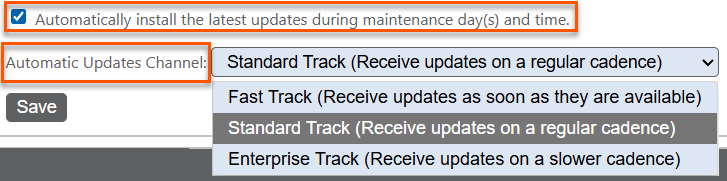
If you check the Automatically install the latest updates during maintenance day(s) and time box, you can select an Automatic Update Channel:
- Fast Track - Receive updates as soon as they are available for the latest major release and new maintenance releases (e.g. 25.2, 25.2.2, etc)
- Standard Track - Receive updates on a regular cadence for the latest major release (e.g. 25.2)
- Enterprise Track - Receive updates less frequently. This track operates at n‑2, meaning it is two versions behind the current release.
Automatic updates do not apply to a failover configuration or an ATLAS deployment.
Updated about 2 months ago
