
Configure LDAP on Pathfinder | Pathfinder
Overview
Pathfinder authenticates users through a connected BeyondTrust product instead of connecting directly to Active Directory or LDAP. The connected product — Privileged Remote Access or Remote Support — acts as the proxy site for directory authentication.
Prerequisites
Before you begin, make sure you have:
- Administrator access to Pathfinder.
- The directory domain and any required connection details.
- A connected BeyondTrust product configured with an LDAP or Active Directory provider.
Important informationThis procedure assumes you have already configured an LDAP or Active Directory provider in your BeyondTrust product. If you have not, complete the appropriate configuration procedure before continuing.
Although Password Safe appears as a product option, it is not currently available for use with directory authentication in Pathfinder.
Register the directory provider
- Log in to Pathfinder as an administrator.
- From the tenant dropdown, select Administration.
- Open the navigation menu and click Directory Authentication.
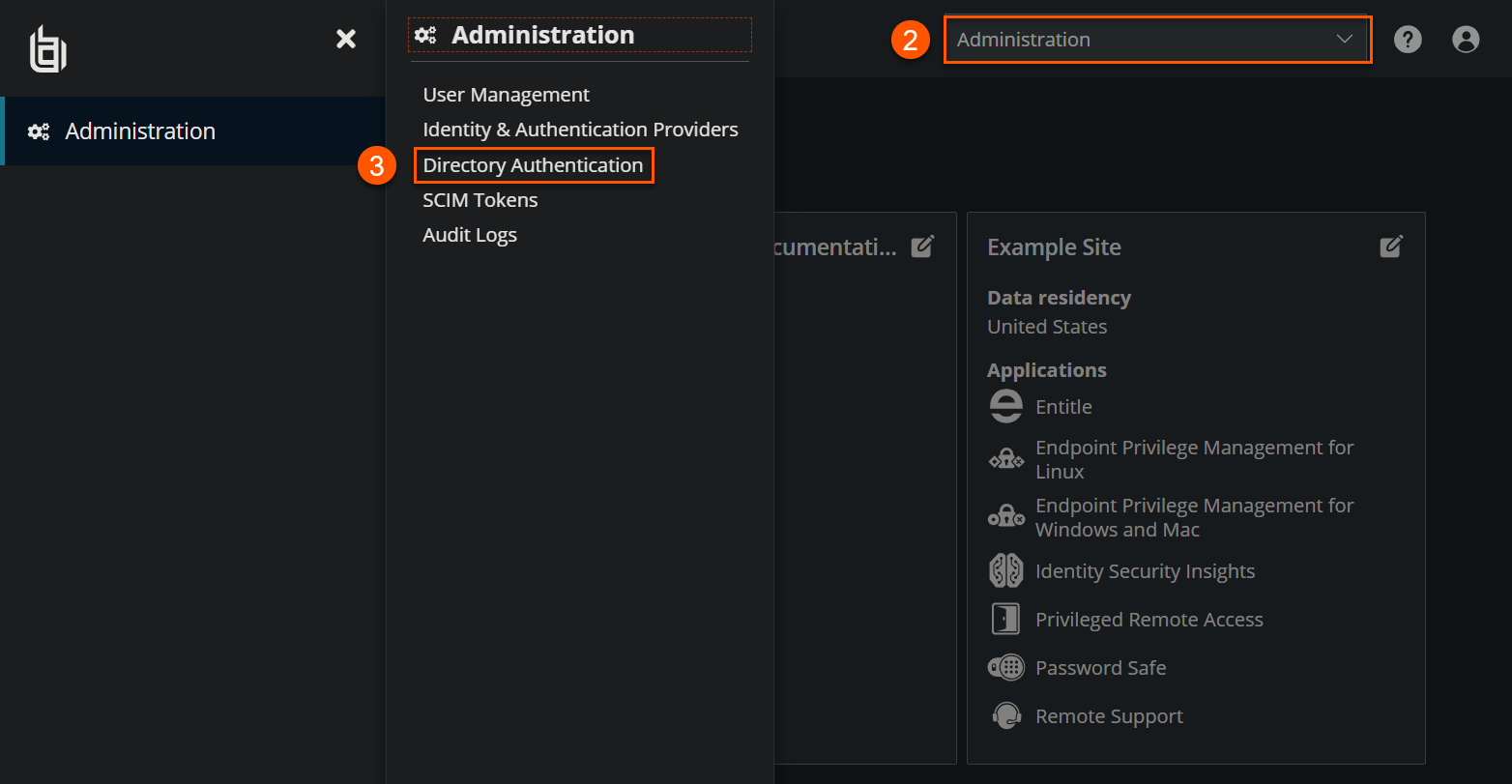
- On the Directory Authentication page, you can add a new directory provider or edit an existing one.
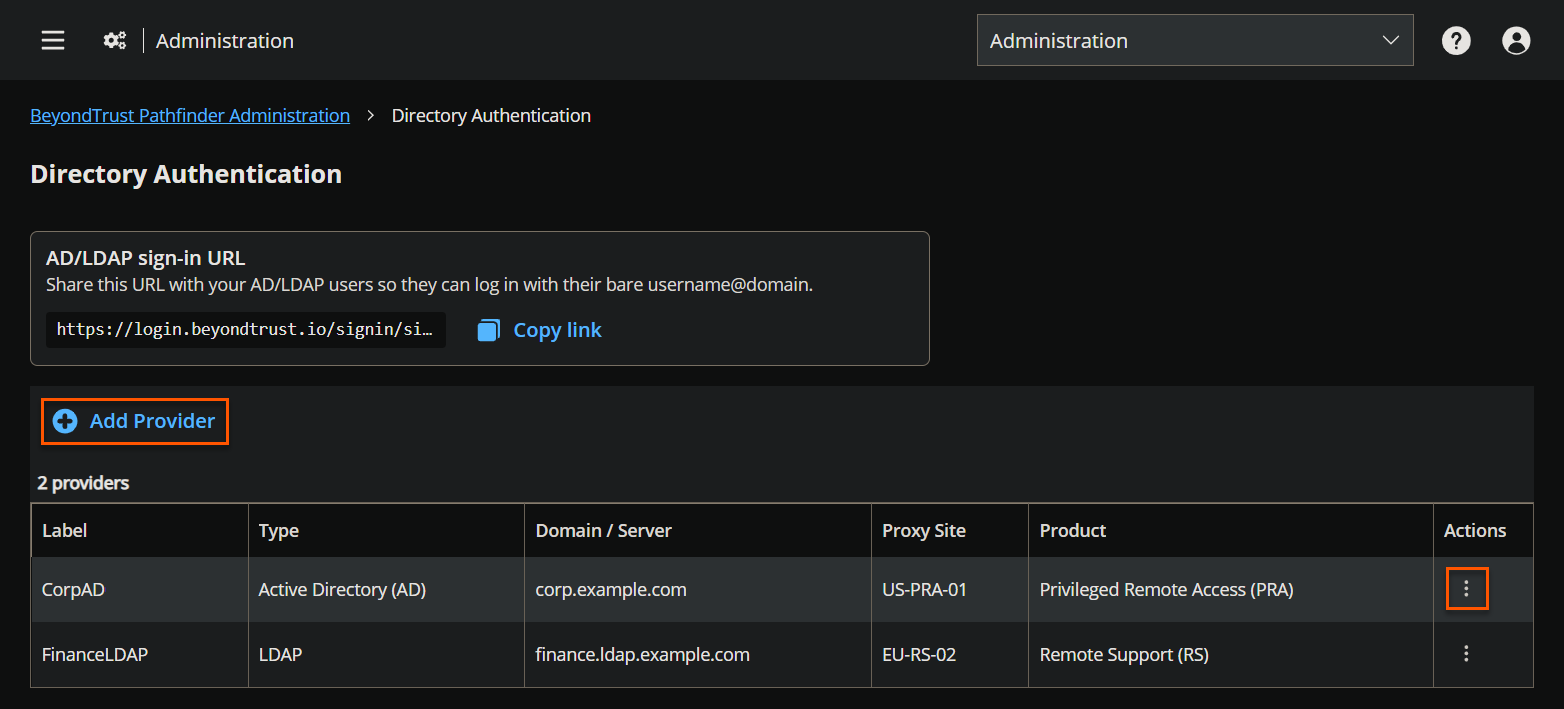
-
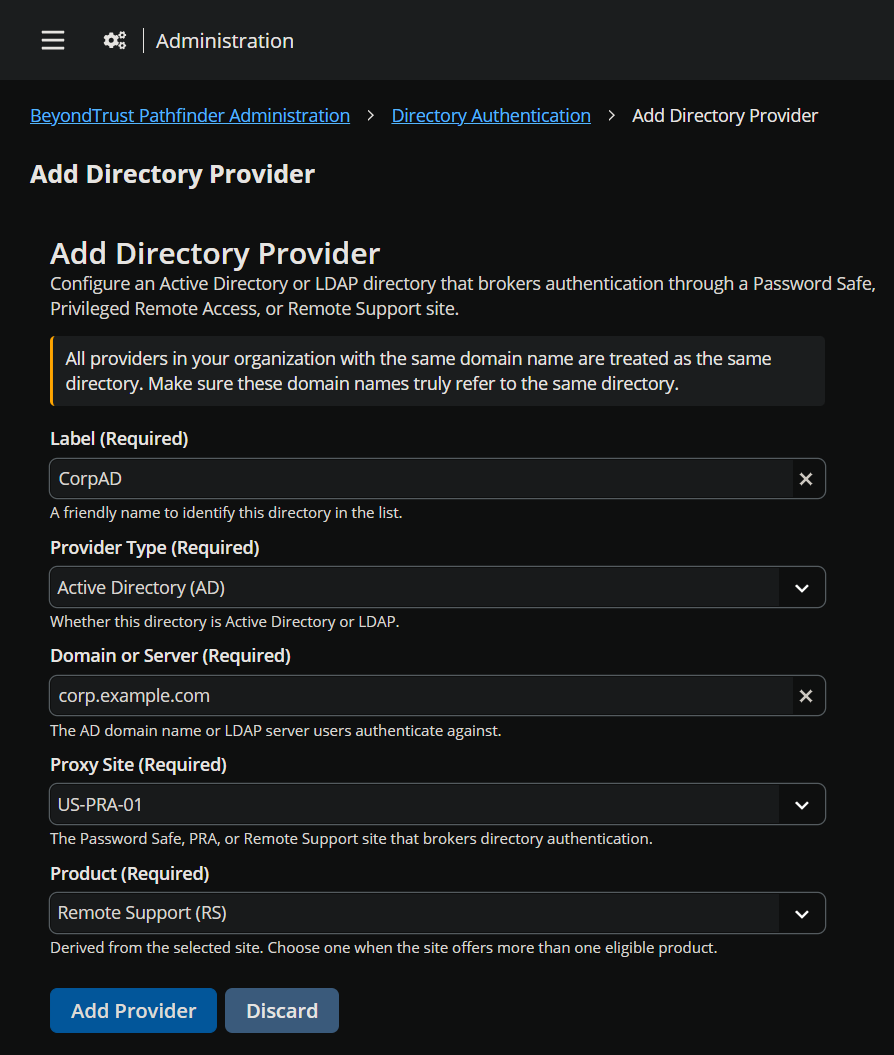
When adding a provider, configure:
- Label
- Provider type
- Domain or server
- Proxy site
- Product
WarningRemoving a provider prevents users who rely on that directory from signing in unless another authentication method is available.
Provision users
Users sign in with their Active Directory username and password using the organization-specific URL. For example:
https://login.beyondtrust.io/signin/signIn?orgId=your-org-id
Replace your-org-id with your organization's ID. Active Directory and LDAP user accounts are created automatically the first time users sign in. Invite users manually only if you want to configure their access before a user's first sign-in.
Updated 7 days ago
