Identity Security Insights 26.10
🆕 New features
🆕 New features
Workspaces: Scope Insights to the environments you actually own
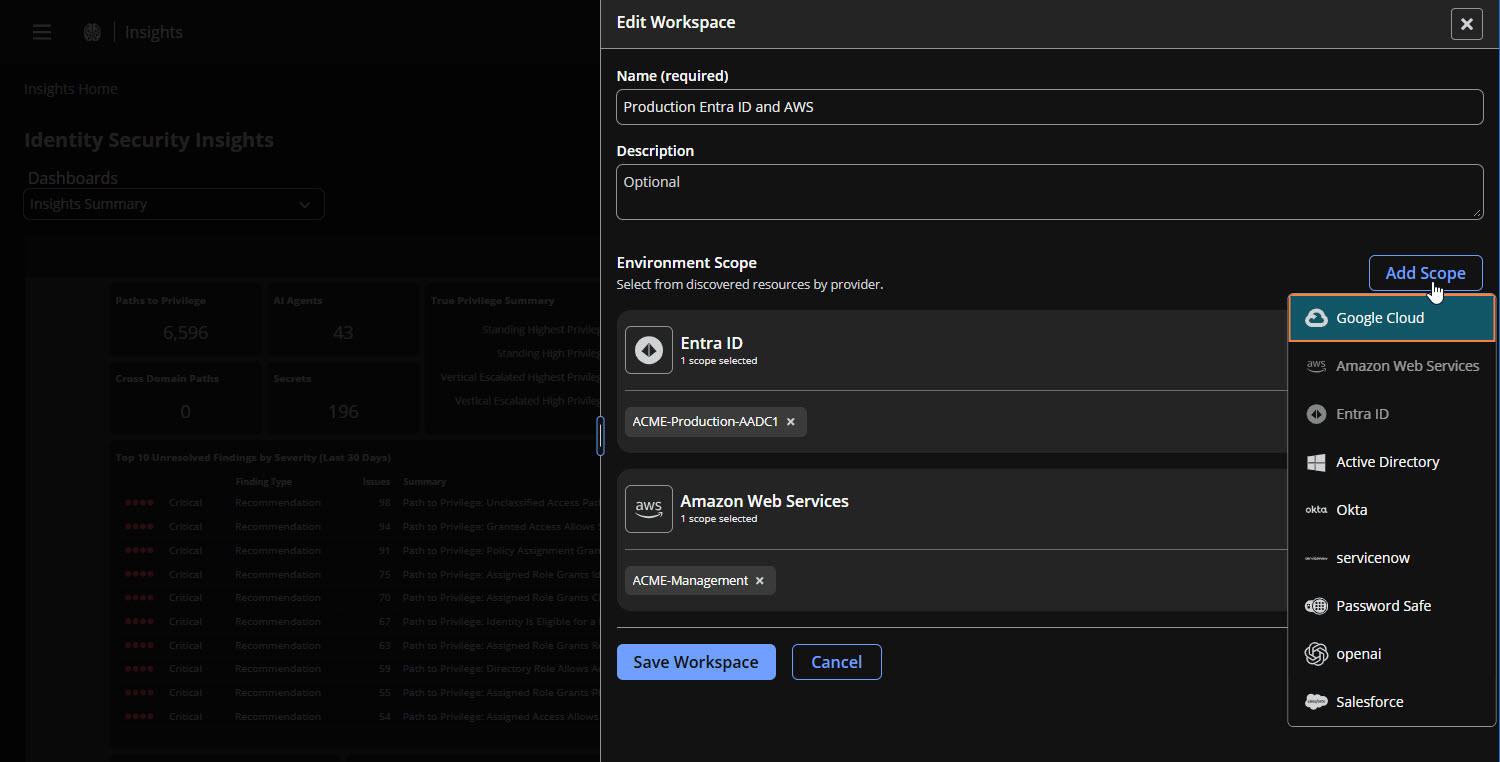
Thousands of accounts across a dozen providers is the right view for a CISO and the wrong one for the person who owns two AWS accounts and an Entra tenant. Workspaces let you save a named scope from the environments Insights has already discovered, so every dashboard shows only the part of your environment you're responsible for.
Where to find it: the Workspaces picker in the top-right corner of any Insights page. Choose + New Workspace to build one.
What you get with Workspaces:
- Build a scope from what Insights already discovered: Choose Add Scope, pick a provider, and select from the environments Insights has found in your tenant, with no IDs to look up. Take a whole AWS organization, Entra tenant, Google Cloud organization, or GitHub organization, or just specific accounts, subscriptions, projects, or repositories within it.
- Every dashboard narrows with it: Insights Summary, Identities, Accounts, Entitlements, Secrets, AI Agents, Detections, and Recommendations all filter to the selected workspace. Detections and recommendations are included when the account they impact is in scope.
- Top instances that stay in scope: Open a detection or recommendation type and the Top Instances by True Privilege grid in its side panel shows only instances inside your workspace. Insights checks your 1,000 highest-privilege instances and tells you when more matches may exist beyond them.
ImportantApart from the Top Instances grid, detail side panels and path views still show an object's full context, including connections outside your workspace. Connector Health always reports on the whole tenant.
For more information, see Workspaces.
✨ Enhancements
Path to Privilege: Escalation paths named by type, with specific remediation
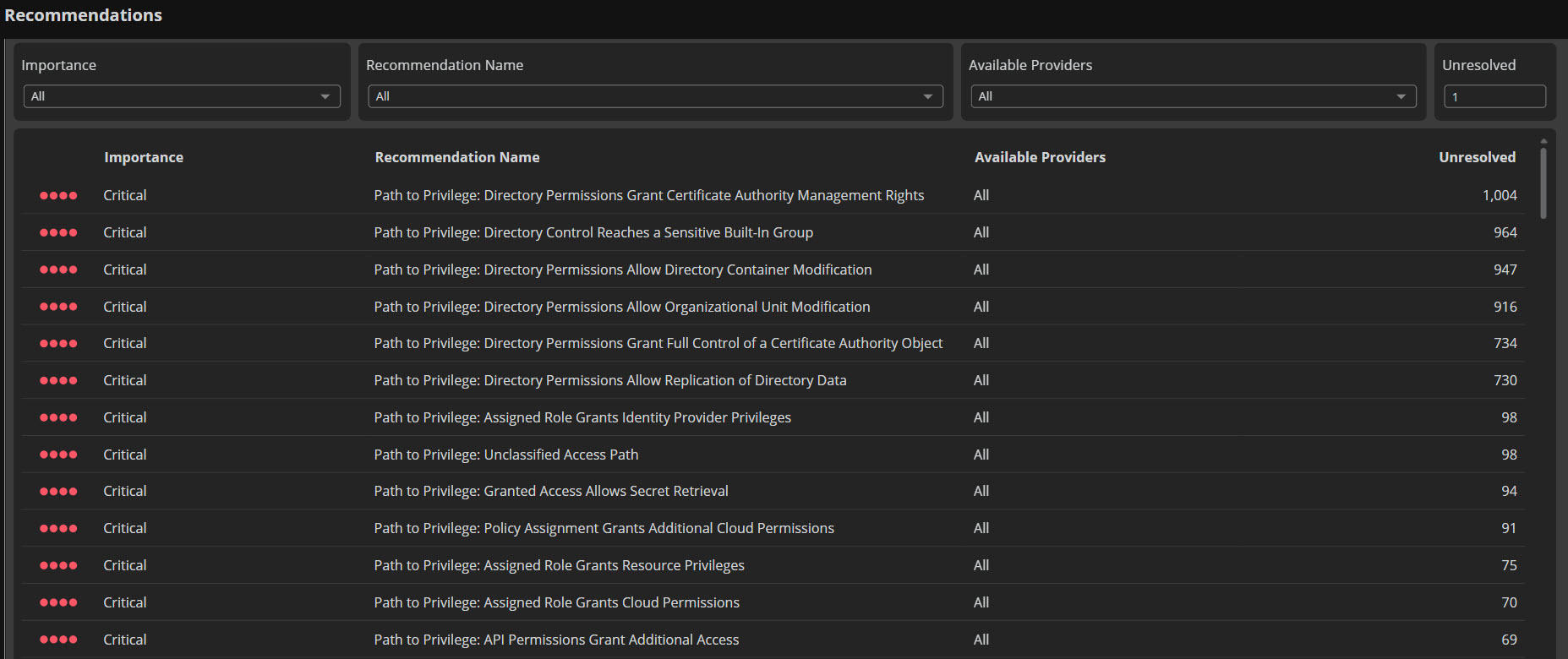
The catch-all "Privilege Escalation Path" recommendation is now 64 recommendations, each naming a specific way an account can reach more privilege and how to close it. Paths that don't fit any of them land in "Unclassified Access Path".
What you get with this update:
- Titles that tell you what to fix: For example, "Directory Permissions Allow Replication of Directory Data" or "Eligible Role Allows Application Credential Creation". The system and mechanism are in the name, and the remediation is written for that path type.
- One instance per account and path type: Several paths of the same type roll into one instance, with the number of paths and targets, the target names, and an example path.
- Coverage wherever privilege hides: Active Directory, Entra ID and Azure, AWS, Google Cloud, Okta, ServiceNow, Salesforce, OpenAI, and ChatGPT, including paths that cross between them, access that exposes secrets, certificates, and tokens, and AI agents that act as other identities or reach their tools and data.
- Only paths that raise privilege: Read-only access and certificate enrollment on their own aren't published.
ImportantThe three previous privilege escalation recommendations – "Privilege Escalation Path" and the two "Privilege Escalation via Group Ownership" recommendations – are retired, and their open instances close as the new recommendations appear. Your recommendation count will change as a result.
Azure Managed Identity Escalation Paths: See who can act as a managed identity through the resource it's attached to
In Azure, anyone who can run code on a virtual machine or app can act as the managed identity attached to it and use that managed identity's access. Insights now shows these escalation paths.
What you get with this update:
- Code execution counted as an escalation path: Insights finds users, groups, and service principals whose Azure role assignments let them run code on a resource with a system-assigned or user-assigned managed identity, for example through VM Run Command, installing an extension, or changing an app's configuration. This covers:
- Virtual machines and virtual machine scale sets
- Azure Arc-enabled servers
- App Service apps (including Function apps) and deployment slots
- Logic Apps
- Container Apps and Container Apps jobs
- True privilege that includes what the managed identity can reach: A managed identity's access – Entra ID directory roles, Azure roles, API permissions, Key Vault secrets and certificates, and SQL servers – now counts toward the true privilege of everyone who can run code on its resource. Accounts that looked low-risk because they only hold a role on a virtual machine or app may now show a higher true privilege.
- Follow the path in the graph and in Path to Privilege: "Can Execute On" connects the identities that can run code on a resource, and "Runs As" connects the resource to its managed identity, so you can trace a person to the access they can use. These paths also appear in your existing Path to Privilege recommendations, such as "Assigned Role Grants Resource Privileges".
See the escalation path as a graph on Path to Privilege recommendations
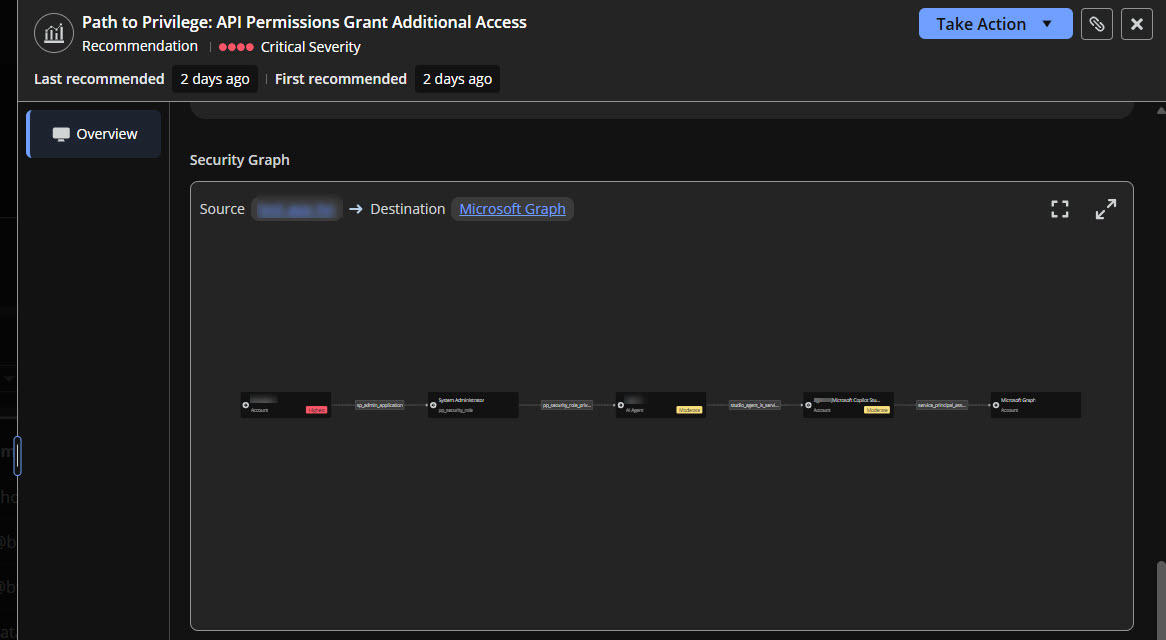
When you open a Path to Privilege recommendation for an account, one of the account's escalation paths is now drawn as a Security Graph instead of raw data. When the account has several paths of the same type, the graph shows one of them. The graph runs from the account to the privilege it can reach, and labels each step with the relationship that allows it. Click any identity or resource in the graph to see its details or open its side panel, and use full screen and zoom to explore longer paths.
See who changed a finding's status
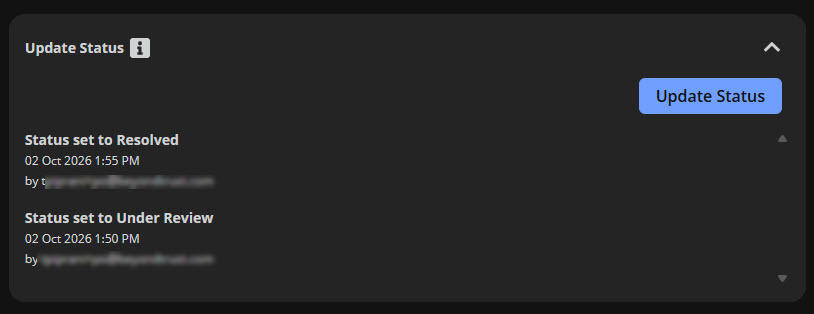
The status history on detections and recommendations now shows who made each change. Every entry includes the analyst's email address, or their name if no email is available, alongside the status, date, and comment. You can see who marked a finding resolved, false positive, or ignored without having to ask around.