
Identity Security Insights 26.02.1
February 24, 2026
🆕 New features
Active Directory privilege paths – beyond group membership
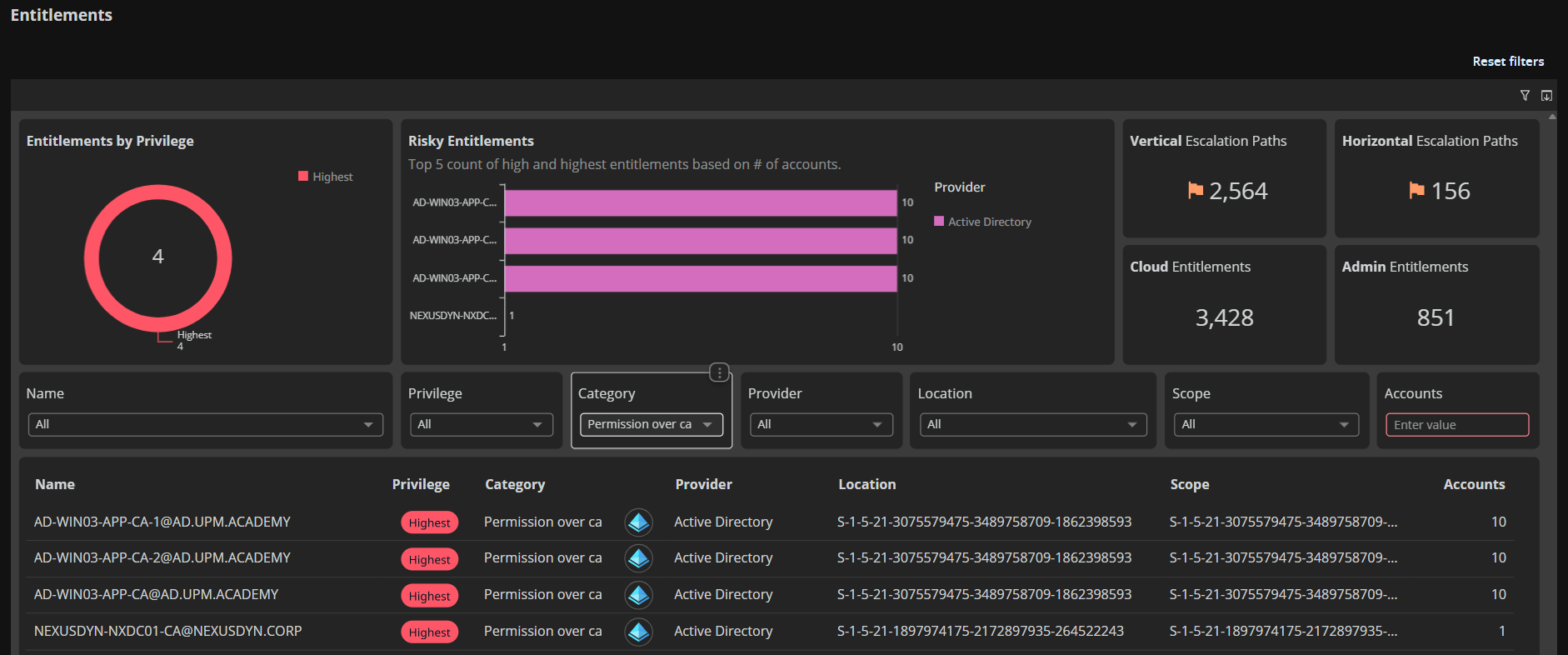
This update expands Active Directory privilege visibility beyond group membership to include 6 new permission-based privilege paths. You can now see who has administrative control over Certificate Authorities, domains, organizational units, containers, certificates, and enrollment services; and how those permissions chain together to create paths to privilege.
New entitlement types
- permission_over_ca: Control over Certificate Authorities (issue certificates, modify CA settings, control enrollment)
- permission_over_certificate: Control over PKI certificates and templates (modify templates, issue certificates for authentication or code signing)
- permission_over_domain: Permissions on AD domains (modify AD structure, delegate rights, take control of nested objects)
- permission_over_enrollment_service: Control over certificate enrollment services (manage who can request and receive certificates)
- permission_over_container: Permissions on AD containers like Users or Computers (broad control over multiple objects within)
- permission_over_orgunit: Permissions on Organizational Units (control delegation and objects within OUs)
Example privilege chains
Direct control over domain infrastructure:
| What You See | What It Means |
|---|---|
| User – GenericAll → Domain – controls → All objects in domain | A user with GenericAll permission on a domain can control all objects within that domain |
Multi-hop escalation through certificates:
| What You See | What It Means |
|---|---|
| Alex – canControl → Sam – canControl → Certificate – canAuthenticate → Everywhere | Alex controls Sam's account. Sam controls a certificate template. That certificate can authenticate anywhere. Result: Alex can authenticate anywhere by leveraging this chain |
These types of permission-based privilege paths are now visible, showing escalation routes that bypass traditional group membership.
Why it matters
AD privilege isn't just about group membership. Users with GenericAll over a Certificate Authority or WriteDACL on a domain can escalate privileges without touching Tier 0 groups. These 6 new entitlement types expose shadow admins and privilege escalation paths that traditional AD tools miss.
Smarter graph navigation – less clutter, better focus
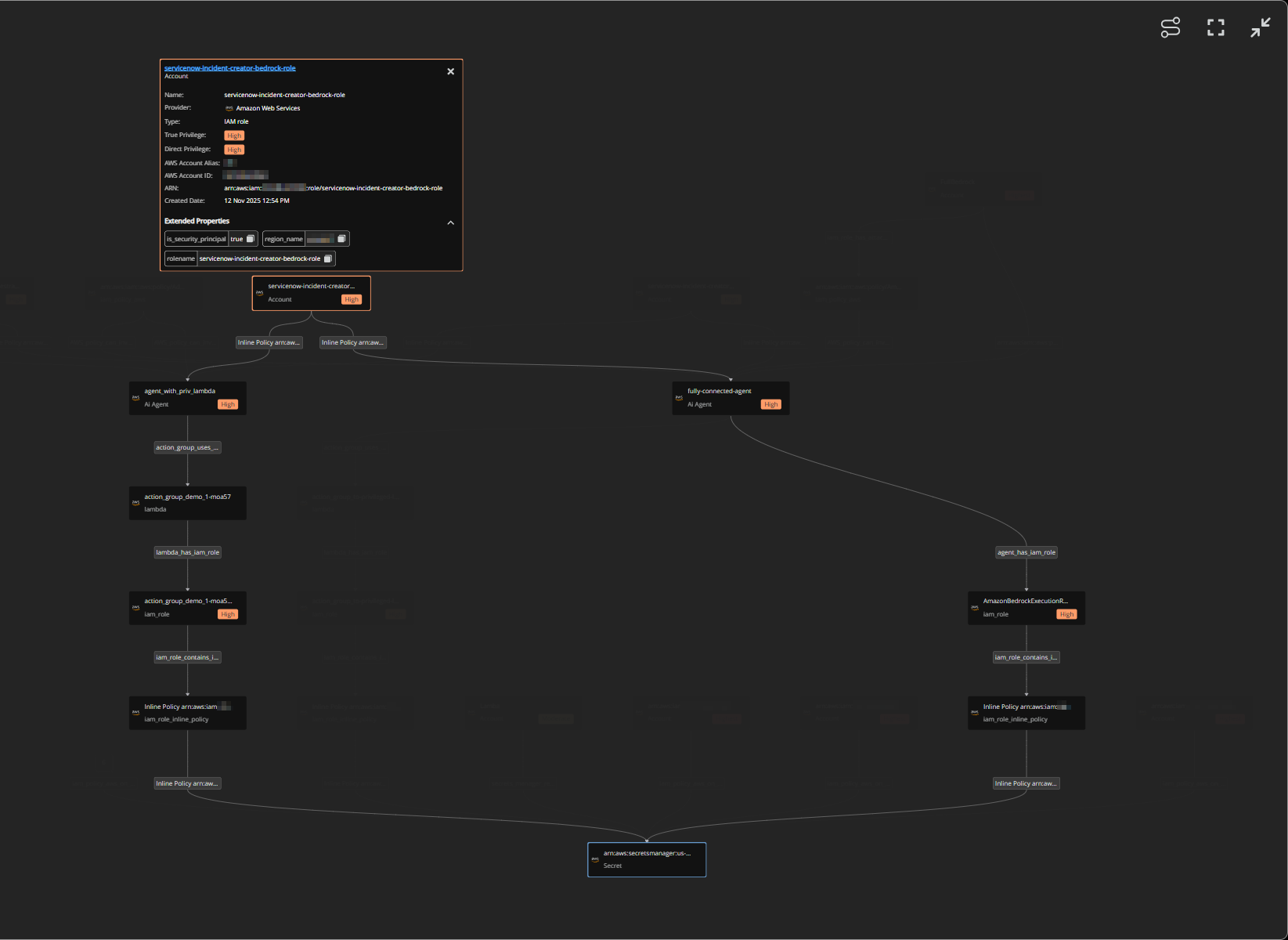
This update enhances graph visualization across Secrets and AI Security with intelligent auto-grouping, path highlighting, and new controls that help you navigate complex relationships without overwhelming detail.
What you get with this update
- Auto-Grouped connections: When 6 or more edges of the same type connect to a node, they're automatically collapsed into a single grouped node on initial load. Click the count badge to expand and see individual connections. This keeps large graphs readable while preserving access to full detail.
- Path highlighting: Click any node to highlight its path to the root node; all related nodes and edges stay fully visible while unrelated elements fade into the background. This makes privilege escalation paths and access chains instantly clear even in dense graphs.
- Fit to view control: New button in the graph toolbar instantly centers and scales the entire graph to fit your viewport. Perfect for resetting after zooming or panning deep into specific areas.
- Toggle path highlighting: Control path highlighting behavior with a dedicated button. When enabled (default), clicking nodes highlights their paths. Disable it when you need to select nodes without triggering path emphasis.
- AI security graph upgrade: The orbital graph in AI Security has been replaced with this enhanced graph component. The new hierarchical layout with auto-grouping and path highlighting makes it easier to understand AI agent permissions and resource relationships compared to the previous orbital visualization.
Where you'll see it
These enhancements are live in two areas:
- Secrets: Secret graph view showing access paths to sensitive credentials
- AI Security: Agent relationship graph (upgraded from orbital layout to hierarchical view)
Refreshed connector setup UI
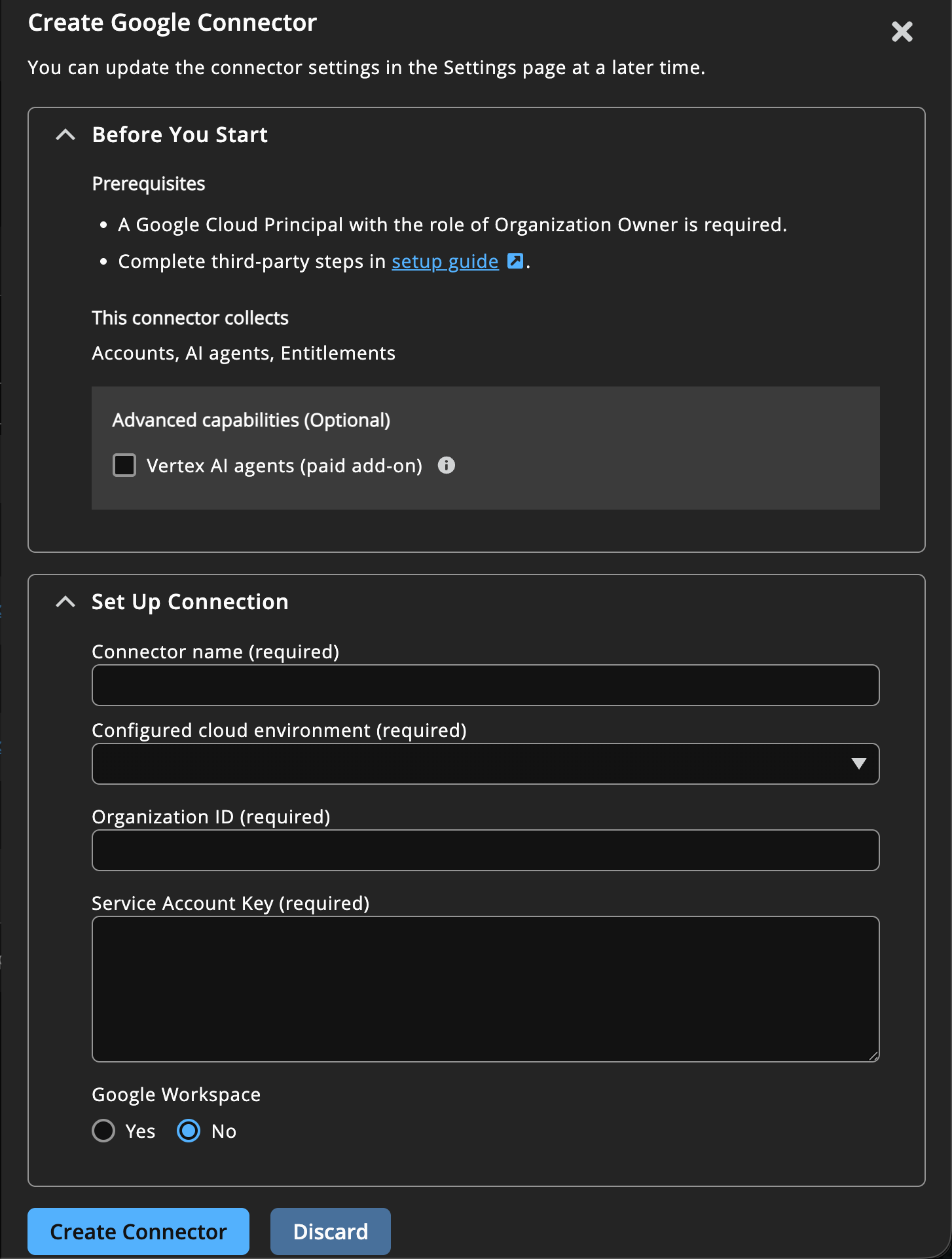
We've redesigned connector create user interface with a cleaner layout and better organization. Previously, each connector had a different look and mixed setup instructions with form fields. Now they all follow the same consistent design.
- Prerequisites up front: Before you start filling in credentials, you'll see exactly what permissions and preparation steps are needed. No more discovering mid-setup that you're missing required access.
- Links to setup guides: Instead of including instructions in the UI, each connector links directly to its full setup guide in our technical documentation.
- See what you'll get: Before creating a connector, you can now see which Insights areas will be populated (like Accounts & entitlements to Secrets and AI Security). This helps you understand what data to expect in each part of Insights.
GCP secrets now visible – complete access picture
This update adds Google Cloud Secret Manager visibility to Identity Security Insights. GCP secrets now appear alongside AWS and Azure secrets from other cloud providers with full access path analysis showing every user, service account, and Vertex AI agent that can read them.
What you get with this update
- Complete Secret Inventory: All secrets from Google Cloud Secret Manager now appear in the Secrets Security area, showing creation date, last rotated, location, version, accessors, and where they sit in your GCP resource hierarchy (project/folder/organization).
- Access Path Visibility: See exactly who can read each secret through role-based access, including inherited permissions from parent projects and folders. Insights now understands GCP's hierarchical permission model – a role granted at the organization level cascades down to all secrets underneath.
- AI Agent Secret Access: Track which Vertex AI agents can access which secrets. If your AI agents use service accounts that have secret reader permissions, those paths are now visible in access graphs showing Agent → Service Account → Role → Secret.
- Scoped Permission Analysis: Roles are now shown with their scope (where they're applied). You can see "User X has Secret Accessor at the project level" vs "User Y has Secret Accessor on this specific secret", this is critical for understanding actual blast radius.
Why it matters
Secrets are high-value targets. Knowing who can access GCP secrets, especially understanding inherited permissions through GCP's resource hierarchy, helps you spot over-privileged service accounts and reduce exposure. For teams using Vertex AI, seeing which agents can read production secrets helps enforce least-privilege access before agents go live.
